
Manage Local MCP Servers for Claude Desktop
MCP Manager is a web GUI that generates ready-to-paste config and terminal commands for setting up MCP servers in Claude Desktop on macOS.
0.1.9Add to Favorites
Why it matters
Simplify the management of Model Context Protocol (MCP) servers for Claude Desktop on macOS. This application provides a user-friendly interface to install, configure, and manage over 22 popular MCP servers locally.
Outcomes
What it gets done
Install and configure popular MCP servers with a single click.
Manage environment variables and server settings easily.
Copy necessary terminal commands for quick setup.
Ensure data privacy by running entirely locally.
Source
Get it from source
Spark does not host a copy of it.
Open sourceReports
Agent outcome reports
No reports yet
Overview
mcp-manager MCP server
A client-side web GUI that generates configuration and terminal install commands for popular MCP servers to set up in Claude Desktop on macOS, without being an MCP server itself. Reach for it when configuring Claude Desktop on macOS and you'd rather fill in a form and copy an install command than hand-write an MCP server's JSON config.
What it does
MCP Manager is a web GUI - not an MCP server itself - for configuring and installing Model Context Protocol servers in the Claude Desktop app on macOS. It ships quick-setup entries for about 20 popular MCP servers (Apple Notes, AWS Knowledge Base, Brave Search, Browserbase, Cloudflare, Everart, Exa, Filesystem, GitHub, GitLab, Google Drive, Google Maps, Memory, Obsidian, Perplexity, PostgreSQL, Puppeteer, Sequential Thinking, Slack, SQLite, Todoist, and YouTube Transcript), walks through their environment variables and server settings, and produces a terminal command you copy and paste to install. It runs entirely client-side, so your configuration data never leaves your computer.
When to use - and when NOT to
Use it when you're setting up Claude Desktop on macOS and want a guided way to generate the config and install commands for one of its supported MCP servers instead of hand-writing each server's JSON block. It is not something you add as an MCP server to a client yourself - it's a setup helper that outputs configuration for other MCP servers, does not connect to Claude at runtime, and exposes no MCP tools of its own. Per the maintainer, the fetch, time, and sentry server integrations were not yet working as of this README. Not affiliated with Anthropic.
Capabilities
A configuration screen per supported server for setting environment variables and server-specific options, one-click copying of the resulting terminal install command, and quick-setup presets for the ~20 servers listed above. The project itself is a React 18 + TypeScript app built with Vite, styled with TailwindCSS and DaisyUI (using the Tiempos font to match Anthropic's design language), and deployed to Cloudflare Pages for sub-60-second builds. Source is organized under src/: a components/ tree with a server-configs/ subfolder holding the per-server configuration components, App.tsx as the main application component, server-configs.ts centralizing the MCP server configuration definitions, and utils.ts for shared utility functions.
How to install
To run it locally for development, install dependencies with:
bun install
Then start the dev server with bun dev, or build for production with bun run build. It does not give a separate hosted-instance URL beyond the project's own branding links - running it locally with Bun is the documented path.
Who it's for
macOS users setting up Claude Desktop who want a faster, guided way to configure one of its supported MCP servers - especially less technical users who prefer a GUI and a copy-paste terminal command over hand-authoring MCP JSON config. Apache 2.0 licensed.
Source README
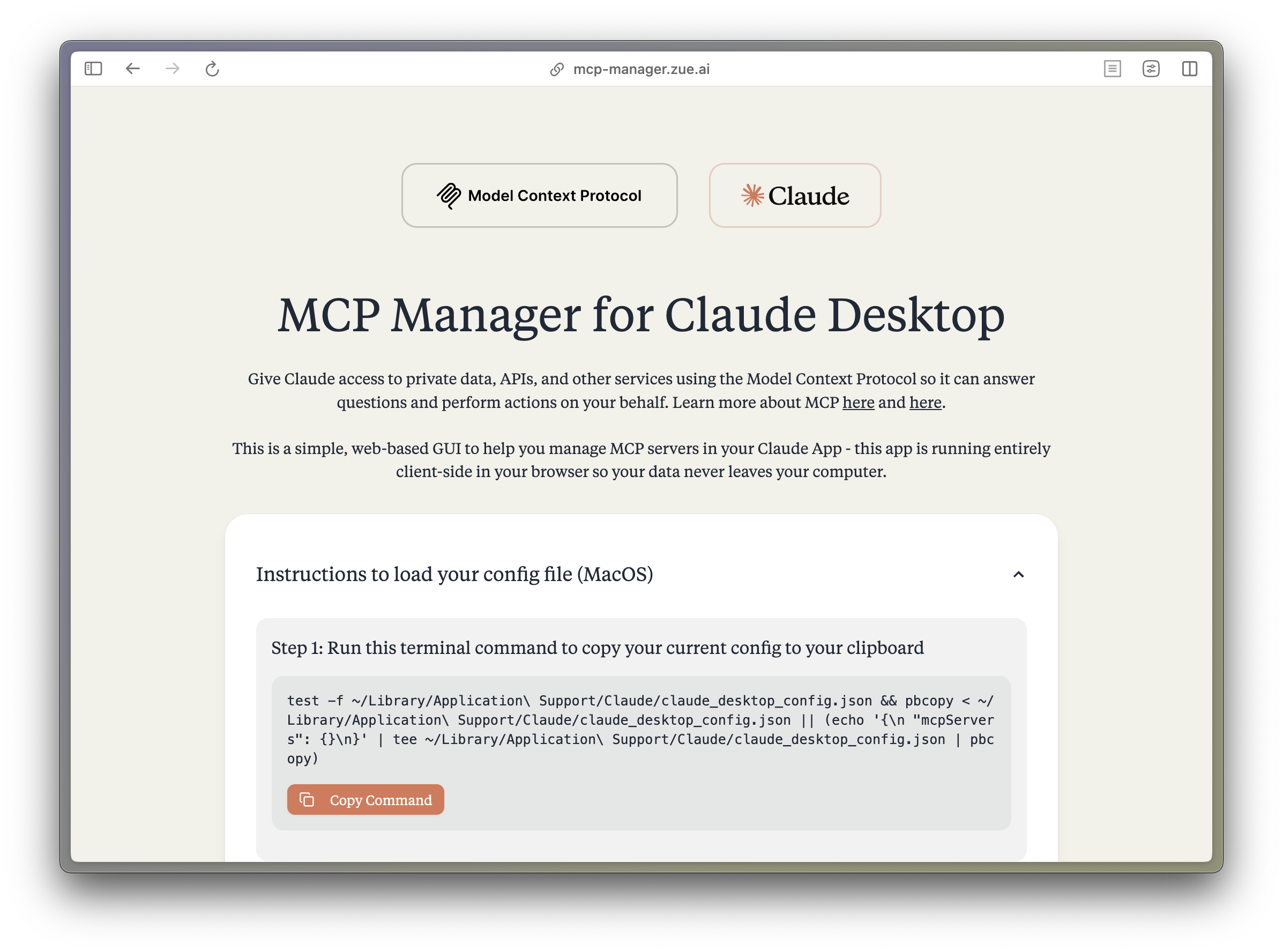
MCP Manager for Claude Desktop
A simple web GUI to manage Model Context Protocol (MCP) servers for the Claude Desktop app on MacOS easily. Just follow the instructions and paste a few commands to give your Claude app instant superpowers.
What is MCP?
The Model Context Protocol (MCP) enables Claude to access private data, APIs, and other services to answer questions and perform actions on your behalf. Learn more about MCP at:
Features
- 🚀 Easy-to-use interface for managing MCP servers
- 🔒 Runs entirely client-side - your data never leaves your computer
- ⚡️ Quick setup for popular MCP servers:
- Apple Notes - Access and search your Apple Notes
- AWS Knowledge Base - Access and query AWS Knowledge Base for information retrieval
- Brave Search - Search the web with Brave Search API
- Browserbase - Let Claude explore the web with Browserbase
- Cloudflare - Manage your Cloudflare workers and account resources
- Everart - Interface with Everart API for digital art and design tools
- Exa - Search the web with Exa
- Filesystem - Access and manage local filesystem
- GitHub - Access your GitHub repositories
- GitLab - Manage GitLab repositories and resources
- Google Drive - Access and search files in your Google Drive
- Google Maps - Access Google Maps API for location services
- Memory - Give Claude memory of previous conversations
- Obsidian - Read and search files in your Obsidian vault
- Perplexity - Search the web with Perplexity API
- PostgreSQL - Connect and interact with PostgreSQL databases
- Puppeteer - Automate browser interactions
- Sequential Thinking - Enable step-by-step reasoning
- Slack - Access your Slack workspace
- SQLite - Manage SQLite databases
- Todoist - Access and search your Todoist tasks
- YouTube Transcript - Access and search YouTube transcripts
- 🛠 Simple configuration of environment variables and server settings
- 📋 One-click copying of terminal commands for installation
Tech Stack
- Frontend Framework: React 18 with TypeScript
- Build Tool: Vite
- Styling:
- TailwindCSS for utility-first CSS
- DaisyUI for component styling
- Tiempos Font to match the Anthropic Design Language
- Package Manager: Bun
- Deployment: Cloudflare Pages for <60s build times
Project Structure
src/
├── components/ # React components
│ ├── server-configs/ # Server-specific configuration components
│ └── ...
├── assets/ # Static assets and fonts
├── App.tsx # Main application component
├── server-configs.ts # MCP server configurations
└── utils.ts # Utility functions
Development
Install dependencies:
bun installStart the dev server:
bun devBuild for production:
bun run build
FAQ
Common questions
Discussion
Questions & comments · 0
Sign In Sign in to leave a comment.