
Interact with NocoDB via Natural Language
An MCP server for NocoDB - CRUD operations on tables via natural-language commands, plus bulk create/delete and JSON-driven table creation.

1.0.0Add to Favorites
Why it matters
Leverage natural language commands to perform CRUD operations and file uploads directly within your NocoDB databases, simplifying data management.
Outcomes
What it gets done
Execute CRUD operations on NocoDB tables using plain language.
Upload JSON data to create new NocoDB tables.
Dynamically add, remove, or update columns and records.
Install
Add it to your toolbox
Run in your project directory:
curl -fsSL https://spark.entire.vc/get/vb-nocodb | bash Capabilities
Tools your agent gets
Retrieve data from a NocoDB table using natural language commands.
Add a new row to a NocoDB table with specified field values.
Update multiple rows in a NocoDB table using natural language criteria.
Delete rows from a NocoDB table matching specified conditions.
Add a new column to a NocoDB table with a specified name.
Remove a column from a NocoDB table.
Upload a JSON file to create or populate a NocoDB table.
Create multiple records in a NocoDB table in a single operation.
Delete multiple records from a NocoDB table in a single operation.
Overview
NocoDB MCP Server
An MCP server that translates natural-language commands into NocoDB table CRUD, column management, bulk record operations, and JSON-file-driven table creation. Use when NocoDB data needs to be queried or modified conversationally instead of through NocoDB's own UI or REST API directly.
What it does
Lets an AI assistant interact with a NocoDB database through the Model Context Protocol, performing create, read, update, and delete operations on NocoDB tables via natural-language commands rather than direct API calls. Example prompts cover the full range: fetching records from a named table, adding one or more new rows by specifying field values, bulk-updating every row with a transformation like stripping a suffix from a name field, deleting rows matching a condition, and adding or deleting entire columns, including setting a default value across every existing row once a column is added. A separate workflow builds a brand-new table directly from a JSON file, uploading its contents into NocoDB under a given table name, and bulk operations - creating or deleting many records in one pass - are demonstrated with sample screenshots in the project's own documentation.
When to use - and when NOT to
Use it when NocoDB data needs to be queried or modified conversationally instead of through NocoDB's own UI or REST API directly. Setup requires Node.js and TypeScript, npm install && npm run build, and three environment variables - NOCODB_URL, NOCODB_API_TOKEN, and NOCODB_BASE_ID - the base ID specifically found embedded in the NocoDB instance's own URL, in the segment between the username and the table ID. This is a TypeScript-based fork of an earlier NocoDB MCP server, kept for improved maintainability and compatibility with modern TypeScript tooling rather than a from-scratch rewrite, and a hosted deployment is also available for anyone who does not want to self-host it.
Capabilities
Full table CRUD through natural language (get, create, update, delete records), column management (add or delete columns, set values across all existing rows), bulk record creation and deletion, and JSON-file-driven table creation for importing an entire dataset at once.
How to install
Set NOCODB_URL, NOCODB_BASE_ID, and NOCODB_API_TOKEN, then either add the server to Claude Desktop's config pointing at the compiled entry point:
{
  "mcpServers": {
    "nocodb": {
      "command": "node",
      "args": ["{working_folder}/dist/start.js"],
      "env": {
        "NOCODB_URL": "https://your-nocodb-instance.com",
        "NOCODB_BASE_ID": "your_base_id_here",
        "NOCODB_API_TOKEN": "your_api_token_here"
      }
    }
  }
}
or call it directly from the CLI via npx -y nocodb-mcp-server {NOCODB_URL} {NOCODB_BASE_ID} {NOCODB_API_TOKEN} without any prior Claude Desktop setup at all.
Who it's for
Teams running NocoDB who want an AI assistant to read, create, update, or bulk-modify table data and schema through plain-language requests instead of NocoDB's own UI or direct API calls. The project is MIT-licensed.
Source README
Nocodb MCP Server
Introduction
The NocoDB MCP Server enables seamless interaction with your NocoDB database using the Model Context Protocol (MCP). This server makes it easy to perform CRUD (Create, Read, Update, Delete) operations on NocoDB tables through natural language commands.
Example Prompt
[Get Records]
get data from nocodb, table: Shinobi

[Create Record]
add new row, with name: sasuke-2
add other row, with name: naruto-2

[Update Record]
update all rows, remove suffix -

[Delete Record]
delete all rows with name naruto

[Add Column]
add column with name: Age

update all rows, set Age to 18

[Delete Column]
delete column with name: Age
Example Prompt - Upload File
[Create table]
from the json files
put on nocodb database
table name is TableShinobi
JSON location file in: example_upload.json
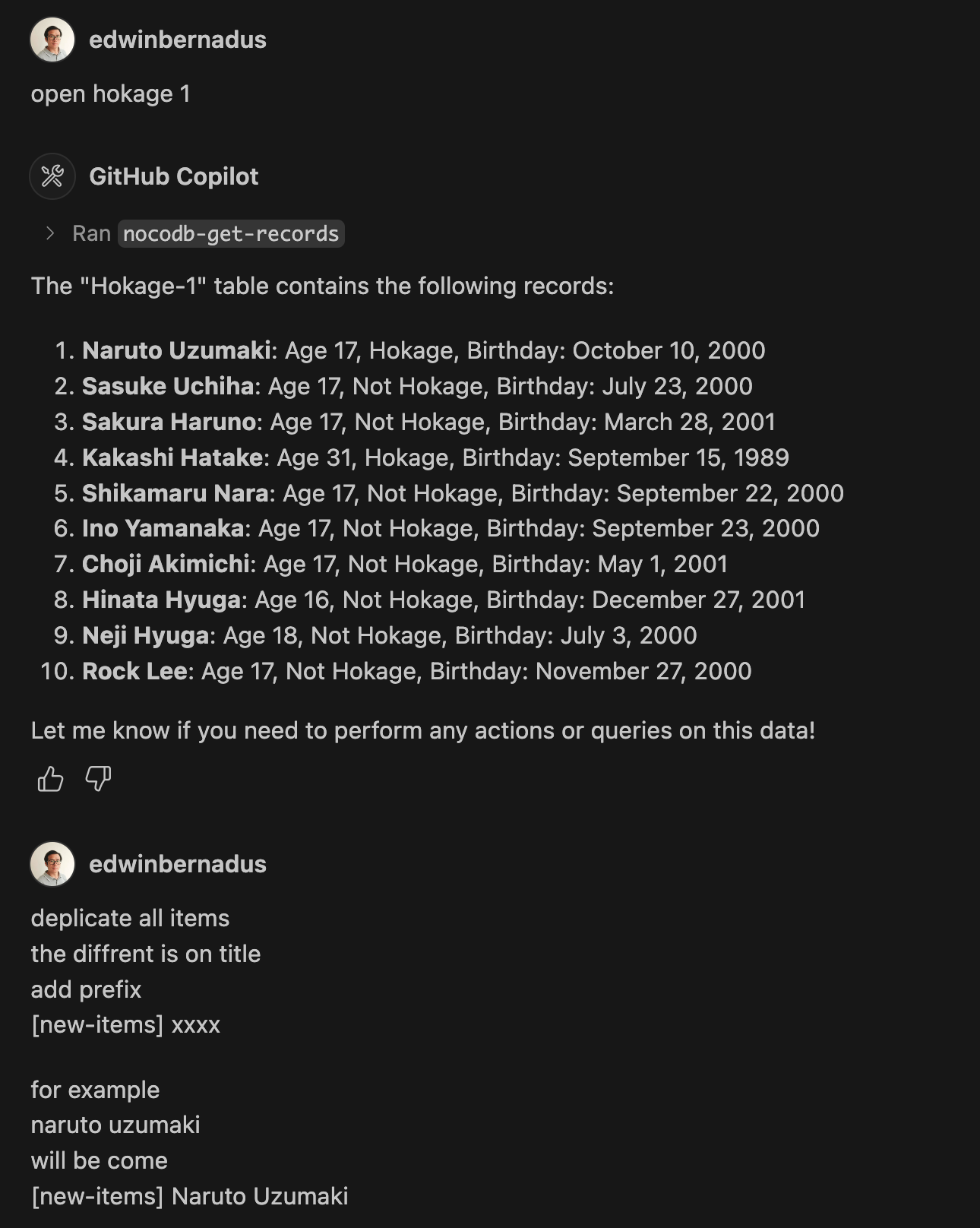
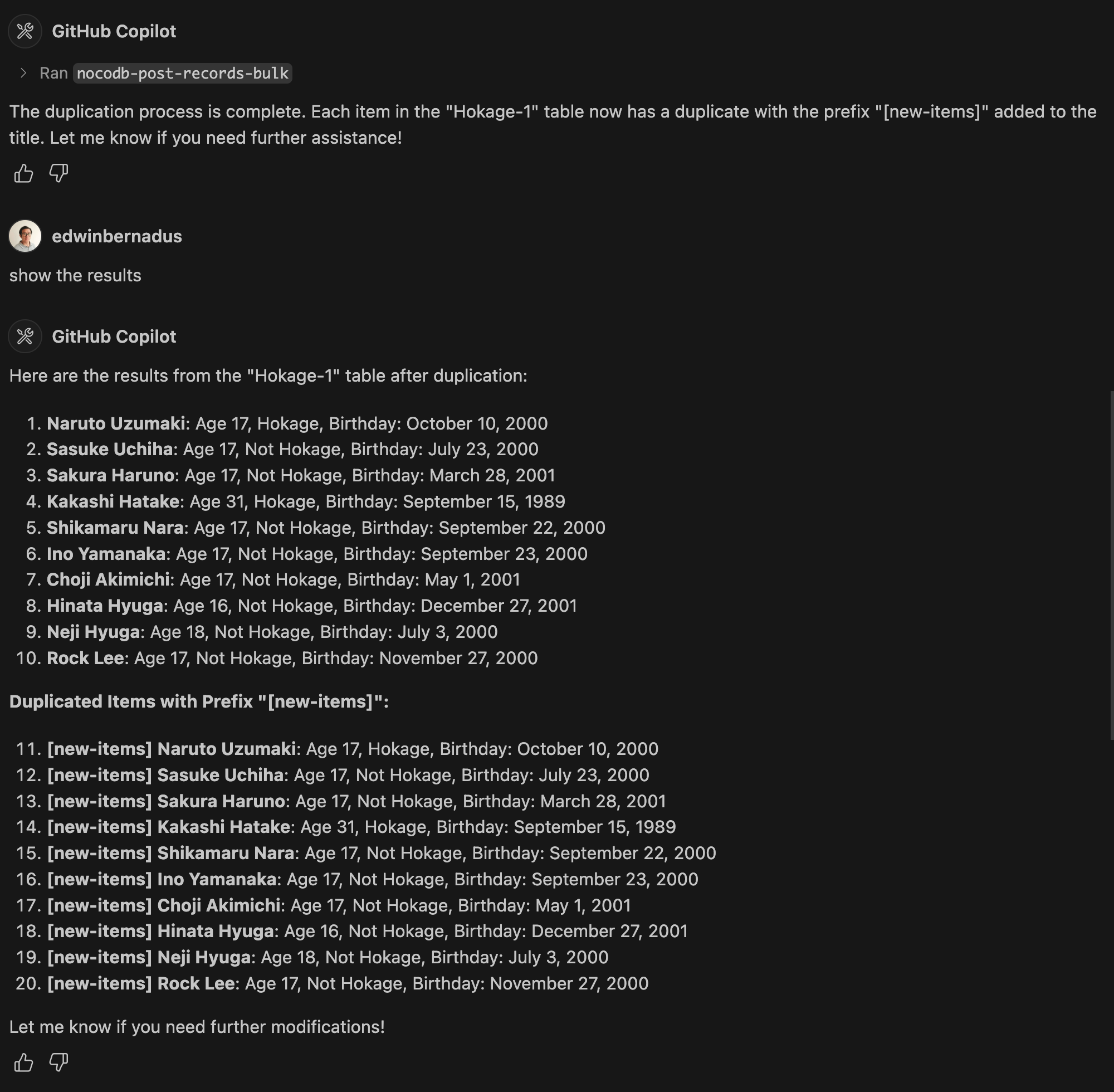
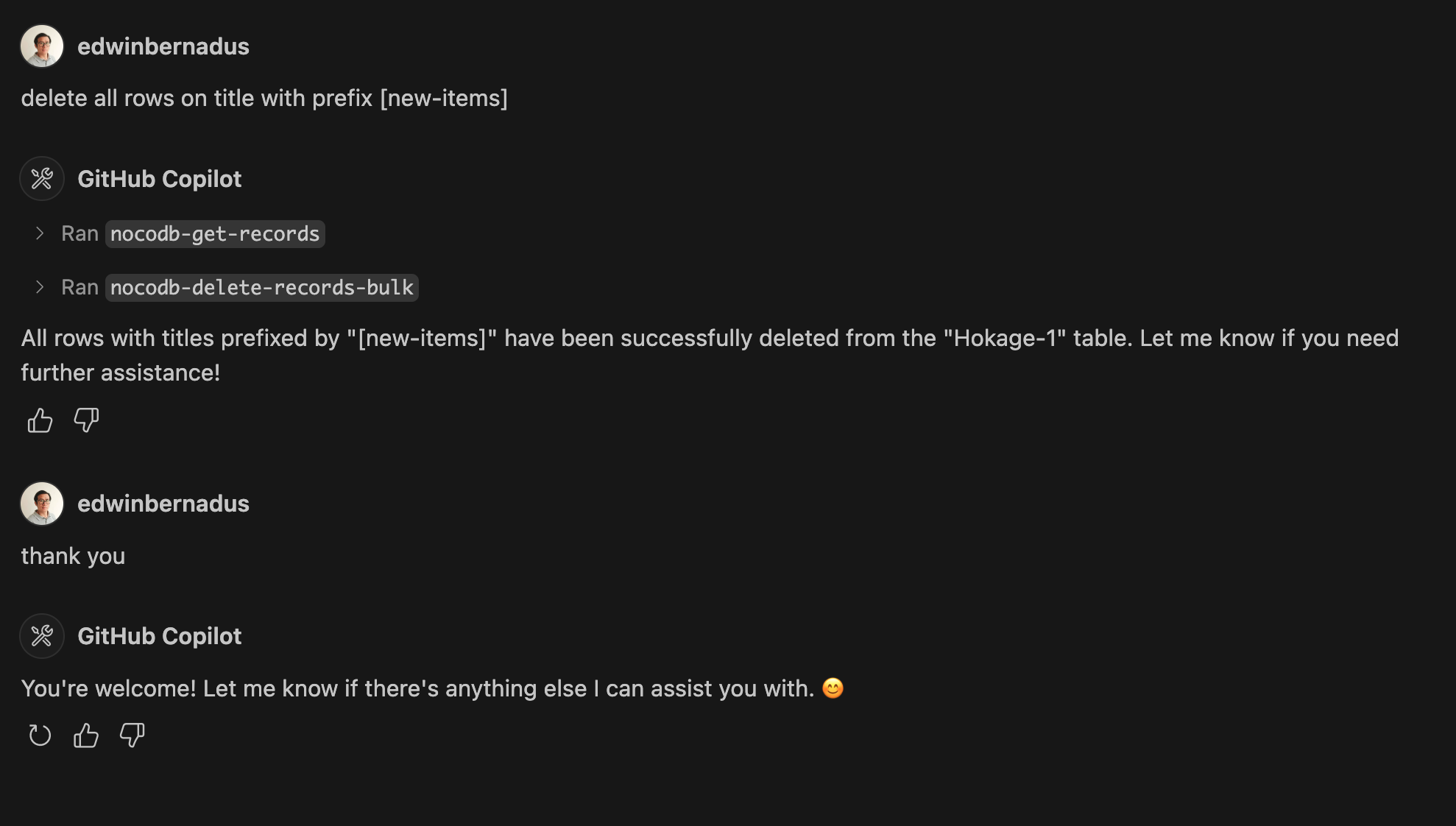
Example Prompt - Bulk Create Records and Bulk Delete Records
About This Fork
This repository is a TypeScript-based fork of NocoDB-MCP-Server. It retains the core functionality while improving maintainability and compatibility with modern TypeScript development practices.
Hosted deployment
A hosted deployment is available on Fronteir AI.
Setup
Ensure that Node.js and TypeScript are installed, then execute:
npm install
npm run build
Configuration
Define the required environment variables in a .env file:
NOCODB_URL=https://your-nocodb-instance.com
NOCODB_API_TOKEN=your_api_token_here
NOCODB_BASE_ID=your_base_id_here
Tip: You can copy the template from env.example and fill in your values.
How to Obtain NOCODB_BASE_ID
To find your NOCODB_BASE_ID, check the URL of your Nocodb instance.
For example:
https://app.nocodb.com/#/wi6evls6/pqmob3ammcknma5/maty9c5xkmf4012
In this URL format:
https://app.nocodb.com/#/{USERNAME}/{NOCODB_BASE_ID}/{TABLE_ID}
Integration with Claude Desktop
Modify claude_desktop_config.json to include:
{
  "mcpServers": {
    "nocodb": {
      "command": "node",
      "args": ["{working_folder}/dist/start.js"],
      "env": {
        "NOCODB_URL": "https://your-nocodb-instance.com",
        "NOCODB_BASE_ID": "your_base_id_here",
        "NOCODB_API_TOKEN": "your_api_token_here"
      }
    }
  }
}
Direct call from CLI
You can directly call the MCP server from the command line:
NOCODB_URL, NOCODB_API_TOKEN, and NOCODB_BASE_ID are required parameters.NOCODB_URL=https://app.nocodb.com if you are using NocoDB cloud.
npx -y nocodb-mcp-server {NOCODB_URL} {NOCODB_BASE_ID} {NOCODB_API_TOKEN}
Testing CLI
To run the tests, execute:
npx -y @wong2/mcp-cli npx nocodb-mcp-server {NOCODB_URL} {NOCODB_BASE_ID} {NOCODB_API_TOKEN}
API Functions
For detailed information about available API functions, please refer to API_FUNCTION.md.
Project Structure
/project-root
  ├── src/            # TypeScript source files
  ├── dist/           # Compiled JavaScript output
  ├── .env            # Environment variable configurations
  ├── package.json    # Project dependencies and scripts
  ├── tsconfig.json   # TypeScript settings
FAQ
Common questions
Trust
How it checks out
Discussion
Questions & comments · 0
Sign In Sign in to leave a comment.