
Automate Social Media Posting Across Platforms
Publora Skills let an AI agent draft, schedule, and publish posts across 10 social networks through one MCP server instead of ten APIs.
1.0.3Add to Favorites
Why it matters
Streamline your social media presence by automating posts to multiple platforms from a single point of control. This MCP connector allows any compatible AI agent to manage your social media outreach efficiently.
Outcomes
What it gets done
Post content to up to 10 social media platforms.
Integrate with MCP-compatible AI agents for automated content distribution.
Manage social media posting schedules and frequency.
Utilize a free tier for up to 15 posts per month.
Source
Get it from source
Spark does not host a copy of it.
Open sourceReports
Agent outcome reports
No reports yet
Overview
Publora Skills bundles nine SKILL.md files and an MCP server that let an AI agent draft, schedule, and publish posts across LinkedIn, X, Instagram, Threads, TikTok, YouTube, Facebook, Bluesky, Mastodon, and Telegram through one integration. The MCP server exposes 16 tools for posts, media, and LinkedIn engagement, with a REST fallback for anything MCP doesn't cover. Use it when an agent needs to publish or schedule content across multiple social platforms; check each platform's specific limits (X requires a paid plan, Instagram needs JPEG and a Business account) before relying on a given skill.
What it does
Publora Skills is a set of nine official SKILL.md files that teach Claude Code, Codex, Cursor, OpenClaw, or any skills-aware agent how to publish and schedule posts on LinkedIn, X, Instagram, Threads, TikTok, YouTube, Facebook, Bluesky, Mastodon, and Telegram through the Publora MCP server. The pitch: your agent drafts, you approve, Publora publishes - one integration instead of ten platform APIs, each with its own auth, media pipeline, and rate limits. The MCP server itself exposes 16 tools.
When to use - and when NOT to
Use it when an agent needs to post or schedule content across multiple social platforms without you wiring up ten separate platform APIs, or when it needs to react to, comment on, or reshare LinkedIn posts. The free Starter plan covers every platform except X, whose API costs are billed per call and passed through as a paid-plan requirement.
Know each skill's specific limits before relying on it: linkedin-post can't build a swipeable carousel (the LinkedIn API reserves those for sponsored content - use a PDF document for swipeable multi-page content instead); instagram-post needs a JPEG and a Business account, since Instagram's Graph API refuses PNG and text-only posts; tiktok-post will publish as private (SELF_ONLY) for any app that hasn't passed TikTok's audit, regardless of the requested visibility; threads-post can't auto-split long content into a connected thread, since Threads currently disables that; and telegram-post is capped at a 1,024-character media caption and a 50 MB bot video ceiling.
Capabilities
The MCP server's 16 tools split into posts and media (list_connections, list_posts, create_post, get_post, update_post, delete_post, get_upload_url, complete_media, delete_media, prune_media_reference) and LinkedIn engagement (linkedin_create_reaction, linkedin_delete_reaction, linkedin_create_comment, linkedin_delete_comment, linkedin_create_reshare, linkedin_list_mentionables). create_post accepts up to 10 public https mediaUrls, which Publora downloads server-side and attaches before validation, so media and scheduling can go in a single call instead of a four-step upload flow. Omitting scheduledTime creates a draft; a future ISO 8601 UTC time schedules the post, and a time five or more minutes in the past is rejected. Platform IDs aren't guessable - call list_connections and copy the platformId values verbatim. update_post can patch content, platforms, scheduledTime, and platformSettings on a draft or scheduled post, so a typo doesn't require deleting and recreating it. Every MCP tool also has a REST twin at https://api.publora.com/api/v1, authenticated with an x-publora-key header instead of a bearer token - LinkedIn statistics and the per-platform platformSettings block (Instagram video type, TikTok privacy, YouTube visibility, Telegram delivery flags, Threads reply control) are REST-only:
curl -X GET "https://api.publora.com/api/v1/platform-connections" \
  -H "x-publora-key: sk_your_api_key"
How to install
Get an API key at app.publora.com/dashboard/api, then connect an agent. For any skills-aware agent:
npx skills add publora/skills
Claude Code can instead connect directly with claude mcp add publora --transport http https://mcp.publora.com --header "Authorization: Bearer sk_YOUR_KEY", or install the plugin via /plugin marketplace add publora/skills. Codex adds publora/skills as a marketplace and installs the publora-skills plugin; Cursor adds https://mcp.publora.com under Settings, MCP; Claude Desktop needs a config-file snippet on macOS or Windows; OpenClaw and the claude.ai connector (OAuth, no key needed) have their own setup docs. Update any time by re-running npx skills add publora/skills. The project is MIT licensed.
Who it's for
Anyone running an AI agent that needs to draft, schedule, and publish social content across multiple platforms with human approval in the loop, without maintaining ten separate platform integrations.
Source README
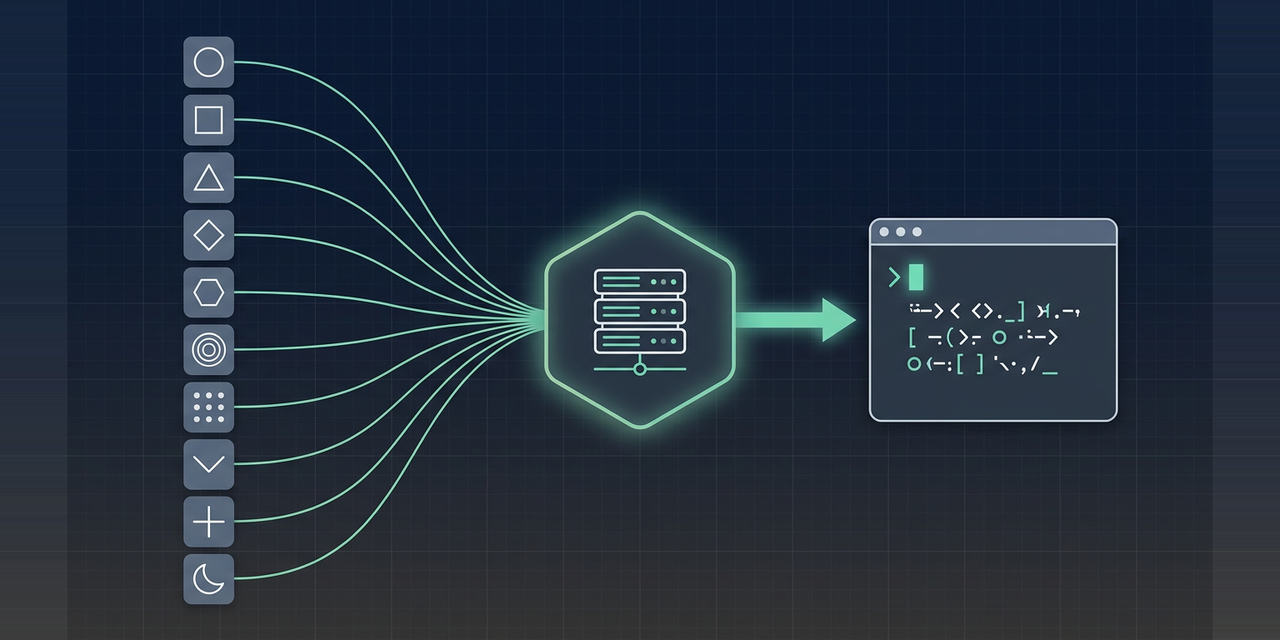
Publora Skills: post to 10 social networks from your AI agent





Official skills from the Publora team. Nine SKILL.md files that teach Claude Code, Codex, Cursor, OpenClaw or any skills-aware agent how to publish and schedule posts on LinkedIn, X, Instagram, Threads, TikTok, YouTube, Facebook, Bluesky, Mastodon and Telegram through the Publora MCP server.
Your agent drafts, you approve, Publora publishes. One integration instead of ten platform APIs, each with its own auth, media pipeline and rate limits.
Install
Using Claude? Install from the connectors directory - no API key, no config: claude.ai/directory/publora
For every other agent, connect as below. Clients that cannot sign in through the browser need an API key from app.publora.com/dashboard/api.
| Client | How |
|---|---|
| Claude (web, desktop, mobile) | claude.ai/directory/publora, select Connect. OAuth, no key |
| Claude Code | claude mcp add --transport http --scope user publora https://mcp.publora.com/mcp, then /mcp to sign in. No key needed |
| Claude Code (plugin) | /plugin marketplace add publora/skills |
| Claude Desktop | Install from the directory like the web app; no config file (details) |
| Any agent (skills CLI) | npx skills add publora/skills |
| Codex | add publora/skills as a marketplace, then install the publora-skills plugin |
| Cursor | Settings, MCP, add https://mcp.publora.com (guide) |
| OpenClaw | docs.publora.com/mcp/openclaw |
The free Starter plan covers every platform except X. Current limits and pricing: publora.com/pricing.
The 9 skills
| Skill | Use it when | It never |
|---|---|---|
linkedin-post |
the user wants a LinkedIn post, a multi-image grid, a PDF document or an @mention | builds a swipeable carousel, which the API reserves for sponsored content |
linkedin-analytics |
the user asks how a post or the account performed, or wants to react, comment or reshare | calls an MCP tool for LinkedIn statistics, which are REST only |
x-post |
the user wants a tweet or a thread auto-split past 280 characters | works on the free plan, since X API costs are passed through |
threads-post |
the user wants a Threads post, a multi-part chain or an image carousel | splits content over 500 characters into a connected chain of replies; --- lines set the breaks |
instagram-post |
the user has a JPEG, a carousel, a Reel or a Story and a Business account | sends PNG, or posts text with no media |
tiktok-post |
the user has a vertical video for TikTok | promises a public post from an unaudited app, where everything lands private |
telegram-post |
the user wants a channel or group post through a bot | exceeds the 1,024-character media caption or the 50 MB bot video ceiling |
bluesky-post |
the user wants a 300-character Bluesky post with alt text | uses the account password instead of an app password |
social-post |
the user targets YouTube, a Facebook Page or Mastodon | posts to a personal Facebook profile, which the API forbids |
How it works
The MCP server exposes 20 tools:
Posts create_post, get_post, update_post, delete_post, list_posts
Media attach_media, get_upload_url, complete_media, delete_media, prune_media_reference
Account and connections account_context, list_connections
Engagement counts post_stats, profile_stats - Mastodon and Bluesky only, on plans with analytics
LinkedIn engagement linkedin_create_reaction, linkedin_delete_reaction, linkedin_create_comment, linkedin_delete_comment, linkedin_create_reshare, linkedin_list_mentionables
Clients also list 12 company_* tools. They are for Agency client work and only work on Agency accounts.
Full signatures: docs.publora.com/mcp/tools-reference.
Three things worth knowing before your agent writes its first call:
- Media in one call. Pass up to 10 public https
mediaUrlstocreate_post. Publora downloads them server-side and attaches them before validation, so you can attach media and schedule in a single request instead of running the four-step upload flow. - Draft or schedule. Omit
scheduledTimeand you get a draft. Send a future ISO 8601 UTC time to schedule. A time five or more minutes in the past is rejected. - Platform IDs are not guessable. Call
list_connectionsand copy theplatformIdvalues verbatim.
REST fallback
Every MCP tool has a REST twin at https://api.publora.com/api/v1, authenticated with the x-publora-key header rather than a bearer token. Some things are REST only, including LinkedIn statistics and workspace (managed-user) administration. The per-platform platformSettings block that controls Instagram video type, TikTok privacy, YouTube visibility, Telegram delivery flags and Threads reply control works over both: the MCP create_post and update_post tools accept it too.
curl -X GET "https://api.publora.com/api/v1/platform-connections" \
  -H "x-publora-key: sk_your_api_key"
Full reference: docs.publora.com.
FAQ
Does X work on the free plan? No. X requires a paid plan because the X API bills per call. Every other platform works on the free Starter plan.
Can I post a swipeable carousel to LinkedIn? Not through the API, which reserves organic carousels for sponsored content. Multi-image posts render as a grid. For swipeable multi-page content, upload a PDF document instead.
Why did my TikTok video publish as private?
TikTok forces SELF_ONLY for apps that have not passed its audit, whatever viewerSetting you send. Ask Publora support about the audited app.
Why is my Instagram post rejected? Instagram's Graph API takes JPEG only, requires a Business account, and refuses text-only posts. PNG uploads fail.
Can I edit a scheduled post?
Yes. update_post patches content, platforms, scheduledTime and platformSettings on a draft or scheduled post, so a typo no longer means deleting and recreating.
How do I update these skills?
Run npx skills add publora/skills again. What changed is listed in CHANGELOG.md and on the Releases page.
Related
- publora/publora-api-docs is the REST and MCP reference these skills follow
- Content-craft bundles built on top of Publora, one per platform: linkedin-skills, x-skills, instagram-skills, threads-skills, tiktok-skills, facebook-skills, youtube-skills
FAQ
Common questions
Discussion
Questions & comments · 0
Sign In Sign in to leave a comment.