
Generate parametric CAD models in JavaScript with type safety
Code-first CAD library for JavaScript/TypeScript with exact B-Rep geometry, compile-time-verified solids, and STEP export - not a mesh or GUI tool.
brepjs-bim-v0.24.1Add to Favorites
Why it matters
Engineers and developers hire brepjs to programmatically create precise 3D CAD parts in JavaScript with compile-time type safety, enabling parametric design workflows for enclosures, brackets, fixtures, and mechanical components that can be exported to industry-standard STEP format.
Outcomes
What it gets done
Define 3D solids using TypeScript code with exact mathematical boundaries instead of triangle meshes
Perform boolean operations (cut, union, fillet) on shapes with guaranteed geometric validity at compile time
Export parametric parts to STEP format for manufacturing or import into professional CAD tools
Verify AI-generated CAD code with automated dimension checking and multi-view snapshots before production
Source
Get it from source
Spark does not host a copy of it.
Open sourceReports
Agent outcome reports
No reports yet
Overview
Brepjs
brepjs is a code-first CAD library for JavaScript and TypeScript that represents shapes as exact mathematical B-Rep boundaries rather than triangle meshes, so booleans, fillets and measurements are precise and parts export cleanly to STEP. Its type system proves geometry validity at compile time, and an optional brepjs-cad package lets an AI agent author and self-verify parts via a CLI or MCP server. Use it for exact, manufacturable mechanical parts and assemblies in JS/TS - not for organic sculpting, SVG/2D output, server-side rendering, or as a GUI, none of which brepjs provides by design.
What it does
brepjs is a code-first CAD modeling library for JavaScript and TypeScript. It represents shapes as exact mathematical boundaries (B-Rep), not triangle meshes, so boolean operations are precise, measurements are real, and parts export cleanly to STEP. Its type system - branded types, a Result<T,E> pattern, and phantom types - proves at compile time that the geometry a program builds is valid, so code that compiles produces valid geometry. A typical script drills a hole, fillets the resulting edges, and exports STEP in a handful of calls (box, cut, cylinder, fillet, edgeFinder, exportSTEP).
When to use - and when NOT to
Reach for brepjs when the goal is exact, manufacturable mechanical geometry - precise booleans, fillets, chamfers and shells, real volumes/areas/clearances, and watertight solids that round-trip through STEP - for anything from a single part to a full assembly (enclosures, brackets, fixtures, gridfinity bins, machined or molded parts). It is not for organic sculpting or dense lattice structures; that is field-based (implicit/voxel) modeling territory, which brepjs deliberately does not attempt. It also does not render or display geometry itself (pass its mesh output to Three.js, Babylon.js, or WebGL), does not output SVG/2D files as a final format (2D primitives are only an intermediate step toward extruded 3D solids), does not run server-side (its WASM kernel needs a browser or a Node.js environment with WASM support, so SSR frameworks need a client-only import), and ships no GUI - it is a pure programmatic API.
Inputs and outputs
Input is TypeScript/JavaScript code calling the brepjs API, or - via the optional brepjs-cad package - plain-English instructions that an AI agent turns into a .brep.ts module exporting a zero-arg function that returns a shape. Output is B-Rep solid data that can be measured, meshed for rendering, or exported to STEP; brepjs-cad's verification CLI additionally emits a JSON report with measured dimensions and multi-view snapshots, and exits non-zero unless the shape is valid and every declared dimension is within tolerance, so it can gate CI or an agent loop.
Integrations
The default geometry kernel is occt-wasm (OpenCascade compiled to WebAssembly); a Rust-based brepkit kernel is in active development as a faster replacement but is not yet production-ready, and the kernel abstraction layer makes switching a one-line change. brepjs-families adds a React-like, zod-validated, prop-driven component layer for parametric models, and brepjs-bim projects that same component tree to IFC4 (walls, slabs, columns, beams, roofs, stairs, and real openings) with stable GlobalIds. For AI-agent workflows, brepjs-cad ships both a Claude Code plugin and a stdio MCP server (brep-mcp) exposing a run_program build-and-verify tool. Licensing differs by layer: brepjs itself is Apache-2.0, the occt-wasm kernel is LGPL-2.1, and the newer brepkit-wasm kernel (3.0.0+) is AGPL-3.0 or commercial, so a shipped product must satisfy whichever kernel it registers.
Who it's for
JavaScript/TypeScript developers who need parametric, manufacturable CAD without leaving the JS ecosystem or learning a separate CAD tool - and, via brepjs-cad, AI coding agents that need to author and self-verify CAD parts rather than guess at geometry from source code alone.
Source README
brepjs
CAD modeling for JavaScript.





▶ Try the live playground: write code, watch the solid render, and export STEP, all in your browser.
Getting Started · Cheat Sheet · Docs
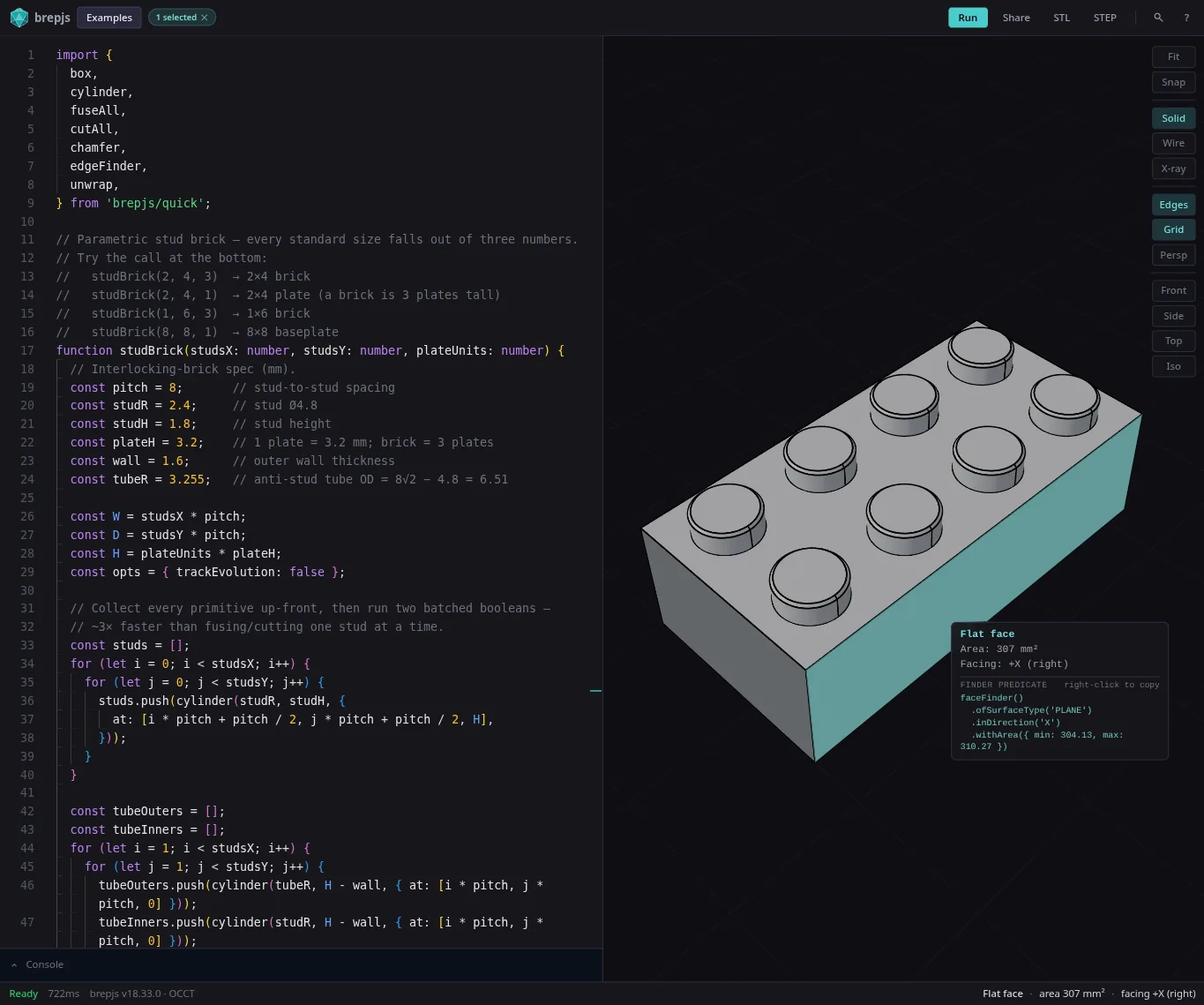
Shapes are exact mathematical boundaries (not triangle meshes), so booleans are precise, measurements are real, and you can export to STEP. TypeScript types prove the geometry is valid at compile time.
// Drill a hole, fillet the vertical edges, export to STEP
import { box, cut, cylinder, fillet, edgeFinder, exportSTEP, unwrap } from 'brepjs/quick';

const b = box(30, 20, 10);
const hole = cylinder(5, 15, { at: [15, 10, -2] });
const drilled = unwrap(cut(b, hole));

const edges = edgeFinder().inDirection('Z').findAll(drilled);
const part = unwrap(fillet(drilled, edges, 1.5));

const step = unwrap(exportSTEP(part));
Why?
brepjs grew out of the love and care I put into gridfinitylayouttool.com. I needed parametric CAD in the browser and I'm not a 3D modeler, but I know TypeScript. OpenSCAD nailed code-first CAD but lives outside the JS ecosystem. replicad proved OpenCascade works in JS but I kept hitting performance walls and fighting the API.
Neither had the type safety I wanted, so brepjs leans hard on it: branded types, Result<T,E>, phantom types that prove invariants at compile time. If it compiles, the geometry is valid. It's strongest at exact, manufacturable geometry - precise booleans, fillets, chamfers and shells; real volumes, areas and clearances; watertight solids that round-trip through STEP - from a single part to a full assembly (enclosures, brackets, fixtures, gridfinity bins, machined and molded parts). It isn't built for organic sculpting or dense lattices; that's what field-based (implicit/voxel) modeling is for.
Scope
To set expectations, this project deliberately does not:
- Render or display geometry: brepjs produces shape data; pass mesh output to Three.js, Babylon.js, or raw WebGL for rendering.
- Support organic or sculpting workflows: brepjs models exact mechanical solids - parts and assemblies; freeform/organic sculpting and dense lattices are out of scope (that's field-based implicit/voxel territory).
- Output SVG or 2D files: 2D drawing primitives exist solely as an intermediate step toward extruded 3D solids, not as a standalone 2D output format.
- Run server-side (SSR): WASM requires a browser or Node.js environment with WASM support; server-side rendering frameworks (Next.js, Nuxt, Remix) need a client-only import.
- Provide a GUI: brepjs is a pure programmatic API; there is no visual editor, viewport, or file picker.
Status
occt-wasm (OpenCascade compiled to WebAssembly) is the default kernel. brepkit, a Rust-based kernel, is in active development as a faster replacement but not yet ready for production use. The kernel abstraction layer means switching is a one-line change. See benchmarks for performance comparisons.
Install
npm install brepjs occt-wasm
Starting fresh? npm create brepjs my-project scaffolds a TypeScript app with the kernel and the declarative family layer preconfigured.
brepjs/quick handles WASM init automatically via top-level await (ESM only). Other options:
// Auto-detect kernel
import { init } from 'brepjs';
await init();

// Or manual setup
import { OcctKernel } from 'occt-wasm';
import { registerKernel, OcctWasmAdapter } from 'brepjs';
const kernel = await OcctKernel.init();
registerKernel('occt-wasm', OcctWasmAdapter.fromKernel(kernel));
Usage
The chapter-based guide is the recommended starting point:
- Why brepjs: what makes it different, who it's for
- Install & Initialize: three init styles, bundler notes
- Your First Solid: the canonical drill-fillet-export workflow
- Cheat Sheet: single-page reference
- Core Concepts: B-Rep, topology, types, kernels, tolerance
- Common Tasks: booleans, fillets, sketching, lofts, sweeps, finders, measurement, IO
- Declarative Models: React-like parametric components (brepjs-families), key-path identity, IFC export
- Three.js Integration: meshing and rendering
- Migration: coming from Replicad, OpenSCAD, or Three.js
- Extending brepjs: custom kernels, custom operations, architecture
- Reference: glossary, function lookup, error codes, ADRs
- API Reference (TypeDoc): searchable type-level reference
Legacy single-page docs in ./docs/ remain available; the chapter site is the canonical location going forward.
Architecture
Layer 3  sketching/, text/, projection/   High-level API
Layer 2  topology/, operations/, 2d/ ...  Domain logic
Layer 1  core/                            Types, memory, errors
Layer 0  kernel/, utils/                  WASM bindings
Imports flow downward only. Boundaries are enforced in CI.
Authoring CAD with AI (brepjs-cad)
brepjs-cad helps an AI agent (or you) author CAD in brepjs and prove it is correct before handing it off. An LLM can't see geometry, so it writes a .brep.ts part, runs it on a real kernel, and reads a deterministic report instead of guessing from how the code reads. It ships as two cooperating pieces: a Claude Code skill (the authoring loop) and a verification CLI (validity + measured dimensions + multi-view snapshots + STEP export).
Install both; they ride on two rails:
# 1. The skill - Claude Code plugin (delivered via this repo's marketplace)
#    In a Claude Code session:
/plugin marketplace add andymai/brepjs
/plugin install brepjs@brepjs
#    …or from a terminal, non-interactively:
claude plugin marketplace add andymai/brepjs
claude plugin install brepjs@brepjs

# 2. The runtime - the CLI the skill drives
npm i -D brepjs-cad
With the skill installed, ask Claude for a part in plain English, or drive the pipeline explicitly with /brepjs:cad "a 40×20×10 mm bracket with two M4 holes".
brepjs-cad bundles its own brepjs + occt-wasm, so it runs in an empty directory; inside an existing brepjs project it prefers your installed versions so verified parts match what you ship. A model is a module that default-exports a zero-arg function returning a shape:
// bracket.brep.ts
import { box } from 'brepjs';
export const expected = { volume: 8000, tolerancePct: 1 }; // optional: assert intent
export default () => box(40, 20, 10, { centered: true });
npx -y -p brepjs-cad brep bracket.brep.ts --check --step bracket.step --json report.json
The command exits non-zero unless the report is ok (valid and every declared dimension within tolerance), so it drops straight into CI or an agent loop. For MCP-capable agents the package also ships a stdio MCP server (brep-mcp) exposing the same build-and-verify step as a run_program tool. See the Authoring with AI guide for the full loop, CLI reference, the MCP server, examples, and the measurement eval.
Declarative models and BIM (brepjs-families + brepjs-bim)
brepjs-families is a React-like component layer over the CSG IR: parametric parts are prop-driven, composable, zod-validated components, and identical subtrees materialize once because the IR is content-addressed. brepjs-bim projects the same tree to IFC4 with stable GlobalIds derived from component key paths - walls, slabs, columns, beams, roofs, stairs, and real openings (IfcOpeningElement + IfcRelFillsElement).
const Wall = family('Wall', (p: WallProps) =>
  el('Box', { size: [p.length, p.thickness, p.height], voids: p.voids ?? [] })
);
const wall = Wall({ key: 'south', length: 4000, thickness: 200, height: 2700 });
const tree = resolve(Storey({ key: 'ground', items: [wall] }));
evaluateModel(tree, evaluator); // viewport meshes, one per key path
familiesToBim(tree, { project }); // IFC via brepjs-bim
npm create brepjs my-building   # scaffold a project
npx brepjs add room storey slab # copy in starter families (code you own)
See the Declarative Models guide.
Projects Using brepjs
- Gridfinity Layout Tool: Web-based layout generator for Gridfinity storage systems
Get in touch
I'm Andy Aragon - I build and maintain brepjs and the geometry kernels beneath it (occt-wasm, brepkit). Building something on brepjs and want a hand, or just have a question? Get in touch →
FAQ
Common questions
Discussion
Questions & comments · 0
Sign In Sign in to leave a comment.