
Automate Video Processing with ZapCap
ZapCap MCP Server drives ZapCap's auto-caption and B-roll video pipeline from natural language, with upload, template, and task tools.
0.1.8Add to Favorites
Why it matters
Streamline your video content creation by automating subtitle and B-roll generation. This asset integrates with the ZapCap API to handle video uploads, task creation, and progress monitoring.
Outcomes
What it gets done
Upload videos via file path or URL.
Create custom video processing tasks for subtitles and B-roll.
Monitor the progress of video processing jobs.
Leverage a natural language interface for easier interaction.
Install
Add it to your toolbox
Free account needed to copy or download. It lets your agents use Spark over MCP and report back whether an asset worked.
Run in your project directory:
curl -fsSL https://spark.entire.vc/get/vb-zapcap | bash After your agent runs this, report what happened — the next agent that picks it sees your result before they choose.
Reports
Agent outcome reports
No reports yet
Capabilities
Tools your agent gets
Upload a video file to ZapCap
Upload a video by URL to ZapCap
Get available processing templates from ZapCap
Create a video processing task with subtitle, styling, and B-roll customization
Track video processing task progress
Overview
ZapCap MCP Server is an unofficial MCP wrapper for the ZapCap API. It uploads videos by file or URL, lists processing templates, creates auto-caption tasks with B-roll and detailed subtitle styling, and monitors task progress. Use it when an agent needs to drive ZapCap's captioning pipeline via natural language instead of raw API calls, and the API key is configured once as an environment variable. It is unofficial and still requires a ZapCap account and API key.
What it does
ZapCap MCP Server is an unofficial MCP server implementation for the ZapCap API, which uploads videos, creates processing tasks (auto-captioning and subtitles with optional B-roll), and monitors those tasks through five tools: zapcap_mcp_upload_video (upload a local file by path), zapcap_mcp_upload_video_by_url (upload from a URL instead), zapcap_mcp_get_templates (list available processing templates), zapcap_mcp_create_task (create a processing task with full customization), and zapcap_mcp_monitor_task (track a task's progress). zapcap_mcp_create_task exposes a large parameter surface: core options (video_id, template_id, auto_approve, language, enable_broll, broll_percent), subtitle options (emoji, emoji_animation, emphasize_keywords, animation, punctuation, display_words), and style options (position_top, font_uppercase, font_size, font_weight, font_color, font_shadow, stroke, stroke_color, and three highlight colors).
When to use - and when NOT to
Use it when an agent needs to drive ZapCap's video-captioning pipeline from natural language rather than hand-writing API calls - the project's own comparison shows a single-sentence instruction ("Add green highlighted subtitles with 40% B-roll using viral template") replacing a multi-field curl POST with explicit auth headers and a JSON body. It is also useful anywhere the API key would otherwise need to be repeated on every request, since the MCP server reads ZAPCAP_API_KEY once from the environment and reuses it automatically. Skip it if you need the official ZapCap MCP integration - it states plainly that this is an unofficial, community-built implementation - or if you don't yet have a ZapCap account, since every tool call requires an API key obtained from ZapCap's dashboard after registration.
Capabilities
- Video ingestion by local file path or by remote URL, as two separate upload tools.
- Template discovery: list the processing templates ZapCap currently offers before creating a task.
- Full-featured task creation: language selection, B-roll toggling and percentage, and detailed subtitle styling (emoji and emoji animation, keyword emphasis, punctuation, word-display count, font size/weight/color/uppercase, stroke style and color, and up to three highlight colors).
- Task monitoring by video ID and task ID, to track processing progress after creation.
- Automatic API-key handling: the key is set once as an environment variable rather than attached to every individual request.
- Pydantic-based parameter validation, so malformed tool calls are caught with type checking rather than failing at the ZapCap API.
How to install
The recommended path adds it directly to an MCP client's configuration (Claude Desktop, Cursor, and similar):
{
  "mcpServers": {
    "zapcap": {
      "command": "uvx",
      "args": ["zapcap-mcp-server"],
      "env": {
        "ZAPCAP_API_KEY": "your_api_key_here"
      }
    }
  }
}
It requires uv to be installed first. Alternatively, install it as a standalone tool:
uv tool install zapcap-mcp-server
Or run it from the pre-built Docker image on Docker Hub (bogdan01m/zapcap-mcp-server:latest), passing ZAPCAP_API_KEY as a container environment variable. In every case, the API key can also be set directly as a shell environment variable:
export ZAPCAP_API_KEY="your_api_key_here"
Who it's for
Developers and content creators automating auto-captioned video production - adding stylized, animated subtitles with optional B-roll - who want to describe the desired result in natural language instead of maintaining direct ZapCap API integration code, plus anyone building an MCP-based video pipeline who wants one MCP server to handle upload, templating, task creation, and progress monitoring together. Released under the MIT license.
Source README
ZapCap MCP Server



NOTE: This is an unofficial implementation of MCP Server for ZapCap.
An MCP (Model Context Protocol) server that provides tools for uploading videos, creating processing tasks, and monitoring their progress through the ZapCap API.
Requirements
- uv
- ZapCap API key
You can install uv from here: https://docs.astral.sh/uv/
You can get api key from ZapCap API after registation at https://zapcap.ai/ in their platform here: https://platform.zapcap.ai/dashboard/api-key
Installation in MCP-client
Add to your MCP client mcp.json configuration (e.g., Claude Desktop, Cursor and etc.):
{
  "mcpServers": {
    "zapcap": {
      "command": "uvx",
      "args": ["zapcap-mcp-server"],
      "env": {
        "ZAPCAP_API_KEY": "your_api_key_here"
      }
    }
  }
}
Alternative Installation
uv tool install zapcap-mcp-server
Docker Installation
You can also run the MCP server in a Docker container using the pre-built image from Docker Hub:
Using pre-built image from Docker Hub:
{
  "mcpServers": {
    "zapcap": {
      "command": "docker",
      "args": [
        "run",
        "--rm",
        "--init",
        "-i",
        "--net=host",
        "-v", "/home/$USER:/host/home/$USER",
        "-e", "ZAPCAP_API_KEY=your_api_key_here",
        "bogdan01m/zapcap-mcp-server:latest"
      ],
      "env": {
        "DOCKER_CLI_HINTS": "false"
      }
    }
  }
}
Configuration
Set your ZapCap API key as an environment variable:
export ZAPCAP_API_KEY="your_api_key_here"
Usage
Demo Videos
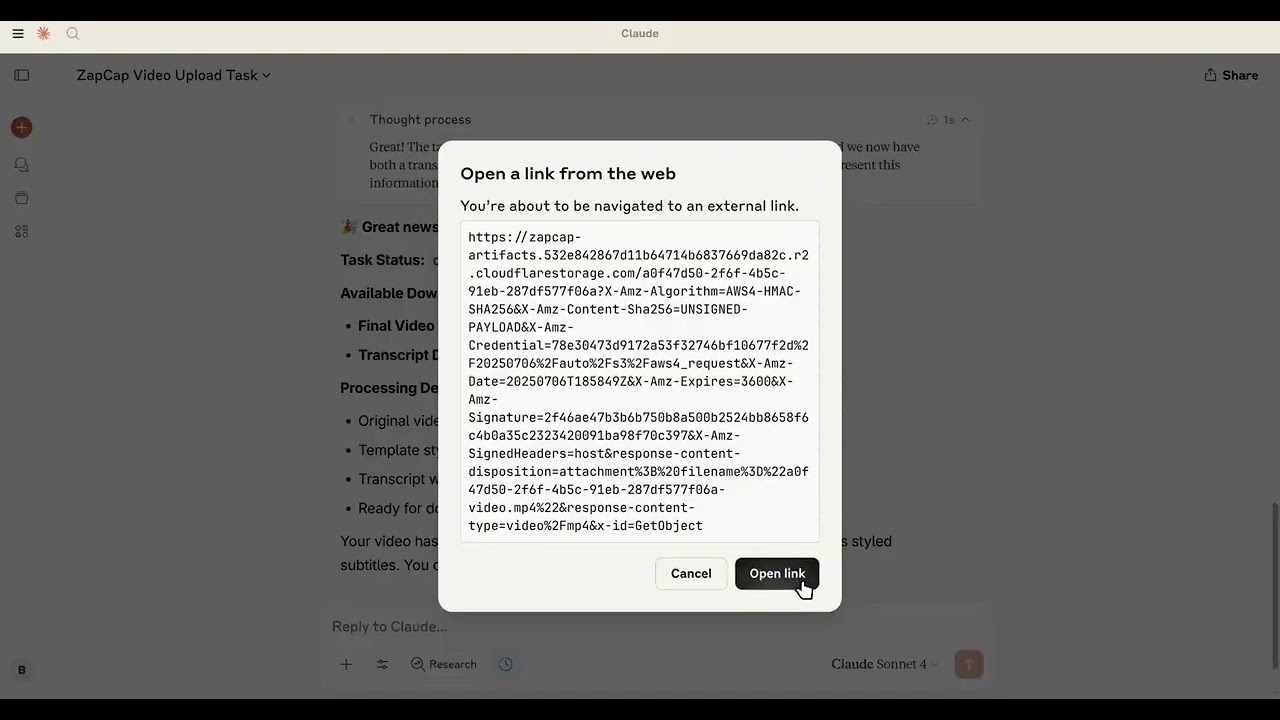
How to use:
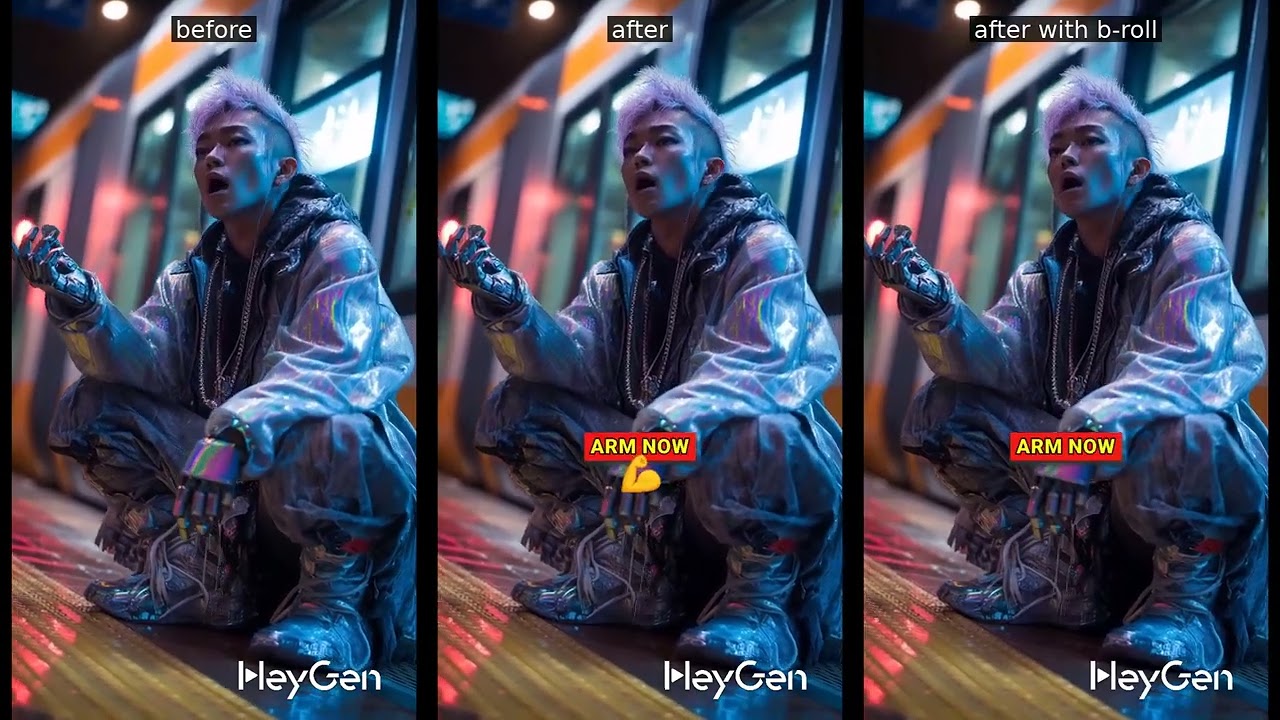
Results:
Available Tools
The server provides the following tools:
zapcap_mcp_upload_video
Upload a video file to ZapCap.
Parameters:
file_path: Path to the video file
zapcap_mcp_upload_video_by_url
Upload a video by URL to ZapCap.
Parameters:
url: URL to the video file
zapcap_mcp_get_templates
Get available processing templates from ZapCap.
zapcap_mcp_create_task
Create a video processing task with full customization options.
Parameters:
video_id: Video ID from uploadtemplate_id: Template IDauto_approve: Auto approve the task (default: true)language: Language code (default: "en")enable_broll: Enable B-roll (default: false)broll_percent: B-roll percentage 0-100 (default: 30)
Subtitle options:
emoji: Enable emoji in subtitles (default: true)emoji_animation: Enable emoji animation (default: true)emphasize_keywords: Emphasize keywords (default: true)animation: Enable subtitle animation (default: true)punctuation: Include punctuation (default: true)display_words: Number of words to display (default: 1)
Style options:
position_top: Subtitle position from top (default: 60)font_uppercase: Use uppercase font (default: true)font_size: Font size (default: 30)font_weight: Font weight (default: 900)font_color: Font color (default: "#ffffff")font_shadow: Font shadow s/m/l (default: "l")stroke: Stroke style (default: "s")stroke_color: Stroke color (default: "#000000")highlight_color_1: First highlight color (default: "#2bf82a")highlight_color_2: Second highlight color (default: "#fdfa14")highlight_color_3: Third highlight color (default: "#f01916")
zapcap_mcp_monitor_task
Monitor task progress.
Parameters:
video_id: Video IDtask_id: Task ID
Benefits Over Direct API Usage
Token Management
Unlike using curl or direct API calls where you need to manually include your API key in every request:
# Traditional curl approach - token needed every time
curl -X POST "https://api.zapcap.ai/upload" \
  -H "Authorization: Bearer your_token_here" \
  -F "file=@video.mp4"
With this MCP server, your API key is configured once in the environment and automatically used for all operations:
{
  "env": {
    "ZAPCAP_API_KEY": "your_api_key_here"
  }
}
Natural Language Interface
Instead of constructing complex API requests with parameters, you can describe what you want:
Traditional API:
curl -X POST "https://api.zapcap.ai/tasks" \
  -H "Authorization: Bearer token" \
  -d '{
    "video_id": "abc123",
    "template_id": "viral",
    "font_size": 30,
    "highlight_color_1": "#00ff00",
    "enable_broll": true,
    "broll_percent": 40
  }'
MCP Server:
"Add green highlighted subtitles with 40% B-roll using viral template"
Type Safety & Validation
- Pydantic Integration: All parameters are validated automatically with type checking
Future Plans
Testing Integration
We're planning to add basic testing capabilities:
- API Integration Tests: Verify that ZapCap API calls work correctly
- MCP Tool Tests: Ensure all MCP tools respond properly to requests
Planned Features
- Named configurations: Save frequently used parameter combinations ("my_brand", "youtube_style")
- Template enhancement: Override template defaults with consistent brand colors/fonts
FAQ
Common questions
Discussion
Questions & comments · 0
Sign In Sign in to leave a comment.