
Access Adobe Commerce GraphQL Schema
Adobe Commerce MCP Server for AI clients. Search GraphQL/REST APIs, validate integrations. Use via NPM package.
1.0.0Add to Favorites
Why it matters
Streamline your Adobe Commerce development by easily accessing and querying its GraphQL schema. This tool assists in understanding your schema and writing effective GraphQL operations.
Outcomes
What it gets done
Introspect Adobe Commerce GraphQL schema
Assist in writing GraphQL operations
Query schema for data extraction
Integrate with Adobe Commerce API
Source
Get it from source
Spark does not host a copy of it.
Open sourceReports
Agent outcome reports
No reports yet
Capabilities
Tools your agent gets
Access and search the Adobe Commerce GraphQL schema
Overview
Adobe Commerce MCP Server
This project implements a Model Context Protocol (MCP) server that interacts with Adobe Commerce. It provides tools to search the GraphQL and REST API schemas, and prompts to help write and validate API integrations. You can configure your MCP client to use the NPM package for seamless integration. Use this MCP server when you need to programmatically interact with Adobe Commerce APIs via an AI client. It's ideal for developers who want to quickly understand API structures, generate integration code, and validate their implementations against specific Adobe Commerce versions.
What it does
As a developer integrating with Adobe Commerce, I want to easily understand and interact with its APIs so that I can build robust integrations faster. This MCP server provides tools to search GraphQL and REST API schemas, and prompts to help write and validate API integrations. You can use this MCP server directly without downloading or hosting anything yourself. Simply configure your MCP client (such as Cursor or Claude Desktop) to use the NPM package:
{
  "mcpServers": {
    "adobe-commerce-dev-mcp": {
      "command": "npx",
      "args": ["-y", "@rafaelcg/adobe-commerce-dev-mcp@latest"],
      "env": {
        "ADOBE_COMMERCE_VERSION": "2.4.8"
      }
    }
  }
}
Source README

Adobe Commerce Dev MCP Server
This project implements a Model Context Protocol (MCP) server that interacts with Adobe Commerce. It provides tools to search the GraphQL and REST API schemas, and prompts to help write and validate API integrations.
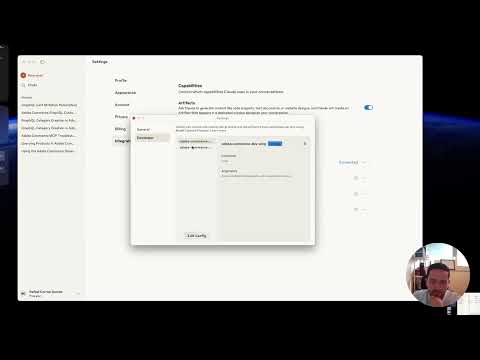
Usage with MCP Server via NPM Package
You can use this MCP server directly without downloading or hosting anything yourself. Simply configure your MCP client (such as Cursor or Claude Desktop) to use the NPM package:
{
  "mcpServers": {
    "adobe-commerce-dev-mcp": {
      "command": "npx",
      "args": ["-y", "@rafaelcg/adobe-commerce-dev-mcp@latest"],
      "env": {
        "ADOBE_COMMERCE_VERSION": "2.4.8"
      }
    }
  }
}

- Replace the server name (
adobe-commerce-dev-mcp) as you wish. - The
npxcommand will always use the latest version of the MCP server from NPM. - Set
ADOBE_COMMERCE_VERSIONto match your store (2.4.7or2.4.8). Defaults to2.4.8. - No need to install or host anything locally or remotely.
On Windows, you might need to use this alternative configuration:
{
  "mcpServers": {
    "adobe-commerce-dev-mcp": {
      "command": "cmd",
      "args": ["/k", "npx", "-y", "@rafaelcg/adobe-commerce-dev-mcp@latest"],
      "env": {
        "ADOBE_COMMERCE_VERSION": "2.4.8"
      }
    }
  }
}
Version configuration
The ADOBE_COMMERCE_VERSION setting controls which schema files are loaded by both tools and which version is referenced in prompts.
| Method | Example | When to use |
|---|---|---|
env in MCP config |
"ADOBE_COMMERCE_VERSION": "2.4.7" |
Claude Desktop, Cursor, production |
| CLI argument | ADOBE_COMMERCE_VERSION=2.4.7 in the Arguments field |
MCP Inspector |
Supported versions: 2.4.7, 2.4.8 (default).
REST schema fallback: if the REST schema file for the configured version is not found, the server falls back to
2.4.8and includes a note in the tool response.
Available tools
| Tool | Description |
|---|---|
introspect_admin_graphql_schema |
Search the Adobe Commerce GraphQL schema for types, queries, and mutations matching a keyword |
introspect_admin_rest_schema |
Search the Adobe Commerce REST API (OpenAPI 2.0) schema for endpoints and definitions matching a keyword |
Both tools use the schema for the configured ADOBE_COMMERCE_VERSION.
Available prompts
| Prompt | Parameters | Description |
|---|---|---|
adobe_commerce_api |
query (required), api_type: graphql | rest | auto (optional, default auto) |
Helps you write a GraphQL operation or REST request. When api_type is auto the AI picks the best API for the use case and explains why. |
validate_adobe_commerce_implementation |
code (required), context (optional) |
Validates an existing GraphQL query, REST call, or integration snippet against the configured Adobe Commerce version. Reports each type, field, argument, and endpoint as ✅ valid, ⚠️ deprecated, or ❌ invalid, and provides a corrected version of the code when needed. |
Getting the GraphQL schema for your local store
Run an introspection query against your local store and save the result as a gzipped file in the data/ folder:
curl -s https://magento.test/graphql \
  -X POST \
  -H "Content-Type: application/json" \
  -H "Authorization: Bearer YOUR_ADMIN_TOKEN" \
  --insecure \
  -d '{"query":"fragment FullType on __Type { kind name description fields(includeDeprecated: true) { name description args { ...InputValue } type { ...TypeRef } isDeprecated deprecationReason } inputFields { ...InputValue } interfaces { ...TypeRef } enumValues(includeDeprecated: true) { name description isDeprecated deprecationReason } possibleTypes { ...TypeRef } } fragment InputValue on __InputValue { name description type { ...TypeRef } defaultValue } fragment TypeRef on __Type { kind name ofType { kind name ofType { kind name ofType { kind name ofType { kind name ofType { kind name ofType { kind name ofType { kind name } } } } } } } } query IntrospectionQuery { __schema { queryType { name } mutationType { name } subscriptionType { name } types { ...FullType } directives { name description locations args { ...InputValue } } } }"}' \
  | gzip > data/schema_2-4-8.json.gz
Get an admin token first if needed:
curl -s -X POST https://magento.test/rest/V1/integration/admin/token \
  --insecure \
  -H "Content-Type: application/json" \
  -d '{"username":"admin","password":"YOUR_PASSWORD"}'
Getting the REST API schema for your local store
curl -s "https://magento.test/rest/all/schema?services=all" \
  --insecure \
  -H "Authorization: Bearer YOUR_ADMIN_TOKEN" \
  | gzip > data/rest_schema_2-4-8_admin.json.gz
Development
The server is built using the MCP SDK and communicates with Adobe Commerce.
npm install- Modify source files
- Run
npm run buildto compile - Run
npm testto run tests - Add an MCP server pointing to the built file (see below)
Local MCP config:
{
  "mcpServers": {
    "adobe-commerce-dev-mcp": {
      "command": "node",
      "args": ["/absolute/path/to/adobe-commerce-dev-mcp/dist/index.js"],
      "env": {
        "ADOBE_COMMERCE_VERSION": "2.4.8"
      }
    }
  }
}
MCP Inspector:
npm run inspector
Then set ADOBE_COMMERCE_VERSION=2.4.7 (or any supported version) in the Arguments field to switch schemas without restarting.
FAQ
Common questions
Discussion
Questions & comments · 0
Sign In Sign in to leave a comment.