
Debug and test MCP servers inside VSCode with AI agents
All-in-one VSCode/Trae/Cursor plugin for debugging MCP servers with an integrated Inspector and multi-LLM testing.
0.1.13Add to Favorites
Why it matters
Developers hire this asset to build, debug, and deploy Model Context Protocol (MCP) servers directly within their IDE, combining an inspector, testing environment, and AI-powered chat interface to validate tools, prompts, and resources before production deployment.
Outcomes
What it gets done
Test MCP server tools, prompts, and resources with interactive debugging panels
Validate tool behavior through AI model interactions with multiple LLM providers
Manage MCP projects at both project and global configuration levels
Deploy tested MCP servers as production agent applications using the SDK
Source
Get it from source
Spark does not host a copy of it.
Open sourceReports
Agent outcome reports
No reports yet
Overview
OpenMCP is a VSCode, Trae, and Cursor plugin that combines an MCP Inspector and MCP client into one debugging environment, letting you test tools, prompts, and resources against many LLM providers. A companion SDK, openmcp-sdk, deploys a debugged MCP configuration as a standalone agent app. Use it when developing or debugging an MCP server and you want integrated testing plus a path to deployment; it's a local debugging tool, not a hosted MCP client.
What it does
OpenMCP is an all-in-one VSCode, Trae, and Cursor plugin for MCP server debugging, combining an MCP Inspector and basic MCP client functions into one tool so development and testing happen in the same place. It lets you test MCP tools, prompts, and resources directly, then move a tested tool into an "Interactive Testing" module to try it in real conversations with a large model. A project-level management panel handles MCP project configuration at both the project and global level. It supports a long list of LLM providers - DeepSeek, OpenAI, Qwen, Gemini, Grok, Mistral, MiniMax, Groq, Perplexity, Kimi, Ollama, OpenRouter, and more - plus an XML mode and customizable options for how tools are selected during a conversation. Once a server is debugged and verified in the OpenMCP client, openmcp-sdk lets you deploy the same configuration as a standalone agent app: it loads the MCP config exported from the client (loadMcpConfig), reads a debugged prompt (getPrompt), and runs it against connected MCP servers (ainvoke).
When to use - and when NOT to
Use it when you're building or debugging an MCP server and want an integrated inspector, multi-server testing, and a path to production deployment without switching tools - especially if you already work in VSCode, Trae, or Cursor. It's also useful if you want to compare how a tool behaves across many different LLM providers before committing to one. It is not a hosted or managed MCP client - openmcpent is the local debugging environment and openmcp-sdk is the SDK for deploying what you already tested as your own agent app.
Capabilities
- Integrated MCP Inspector and client for testing tools, prompts, and resources in one interface
- "Interactive Testing" module to run already-tested tools inside real LLM conversations
- Project-level and global management panel for MCP project configuration
- Support for DeepSeek, OpenAI, Qwen, Gemini, Grok, Mistral, MiniMax, Groq, Perplexity, Kimi, Ollama, OpenRouter, and more
- XML mode and customizable tool-selection options
openmcp-sdkfor deploying a debugged MCP configuration as a standalone agent app (OmAgent,loadMcpConfig,getPrompt,ainvoke)- OpenMCP CLI for scaffolding and running a development environment (backend service and frontend renderer)
- Layered architecture (Web, VSCode plugin, Electron app, QQ bot) sharing the same renderer and service core
How to install
Install the VSCode/Trae/Cursor extension for the OpenMCP client (openmcpent), or scaffold a project with the CLI:
npm install -g @agent-ruler/openmcp
openmcp init my-project
cd my-project
openmcp dev
To deploy a debugged MCP setup as an agent app:
npm install openmcp-sdk
Who it's for
Developers building or debugging MCP servers who want an integrated inspector, multi-LLM testing, and a straightforward path from local debugging to a deployed agent app.
Source README

OpenMCP: All you need for MCP Development
English | 中文
🫱 Official Documentation
OpenMCP QQ Group
OpenMCP Discord Channel
OpenMCP
An all-in-one vscode/trae/cursor plugin for MCP server debugging.

👆 Full Video
openmcpent
Integrated Inspector + MCP client basic functions, combining development and testing into one.
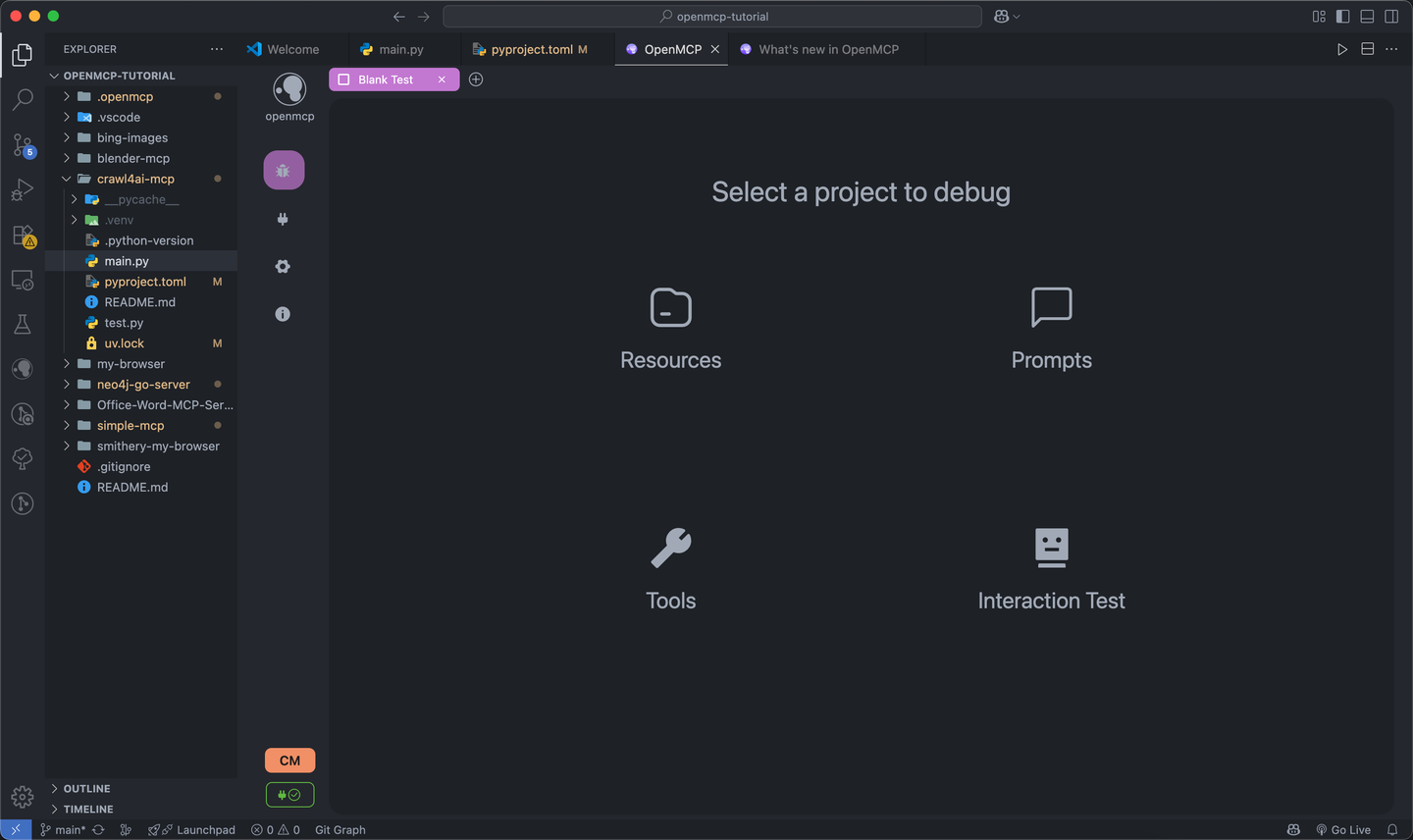
Test mcp tools, prompts and resources with a variety of tools.
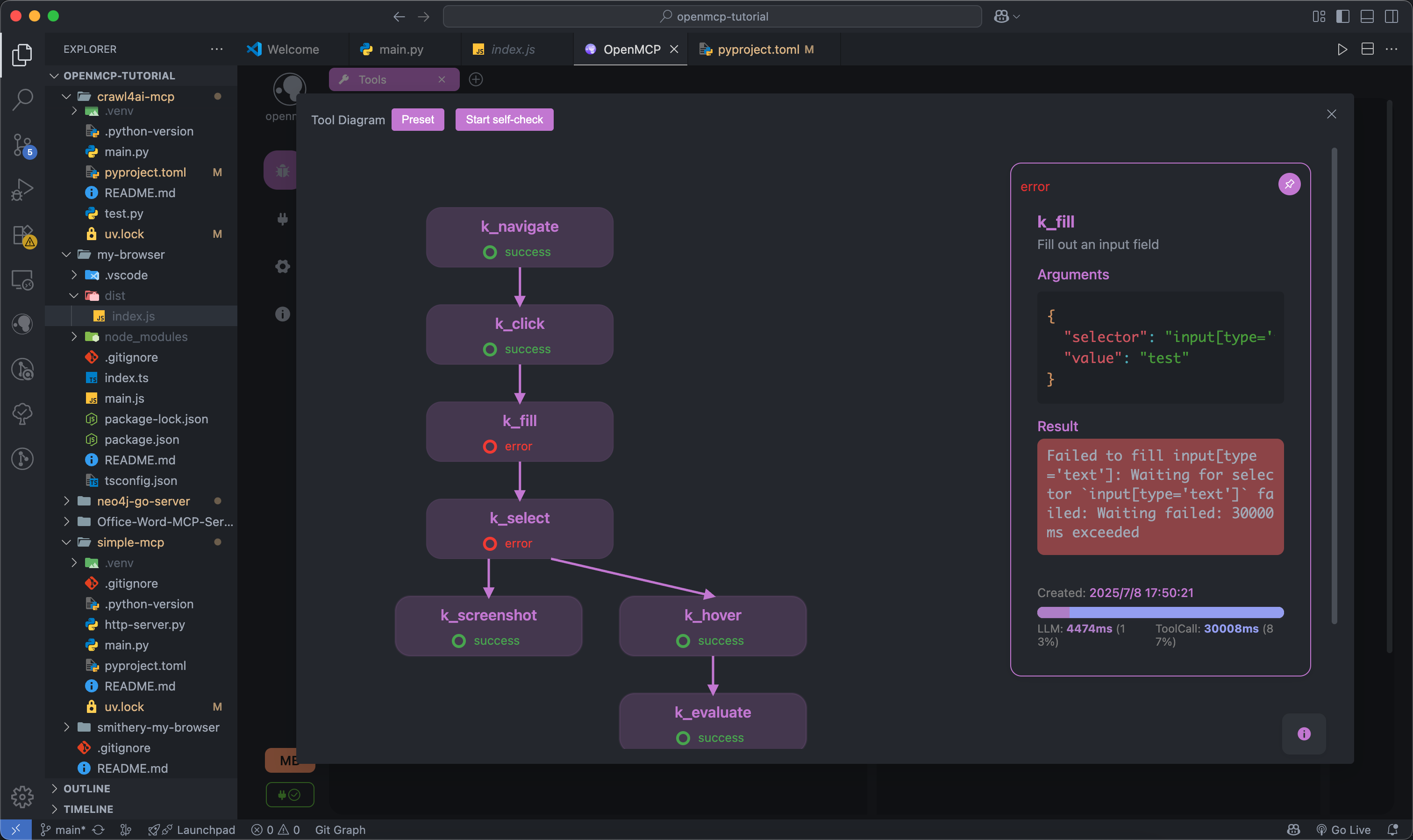
Tested tools can be placed in the "Interactive Testing" module for large model interaction testing.
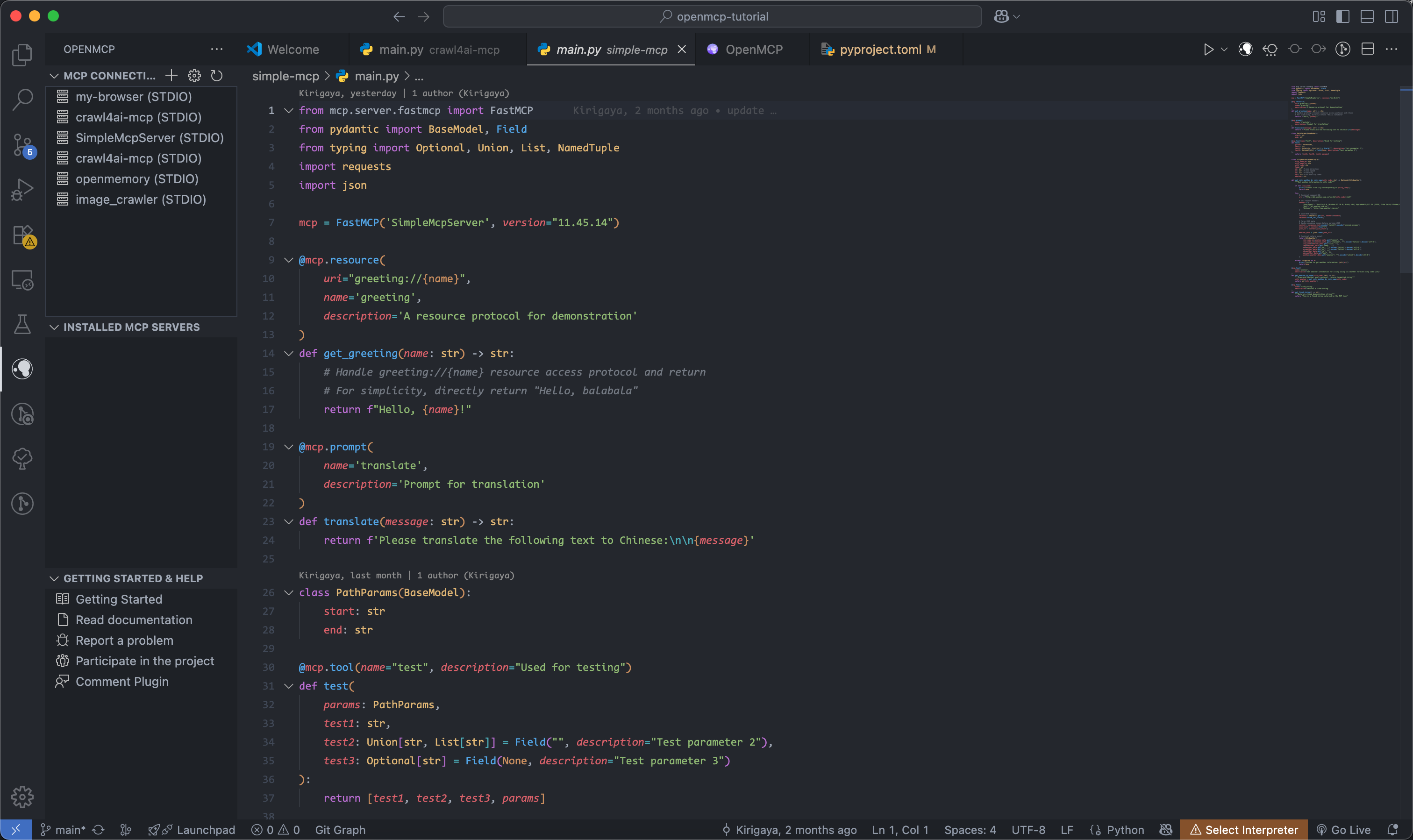
Complete project-level management panel for easier MCP project management at both project and global levels.
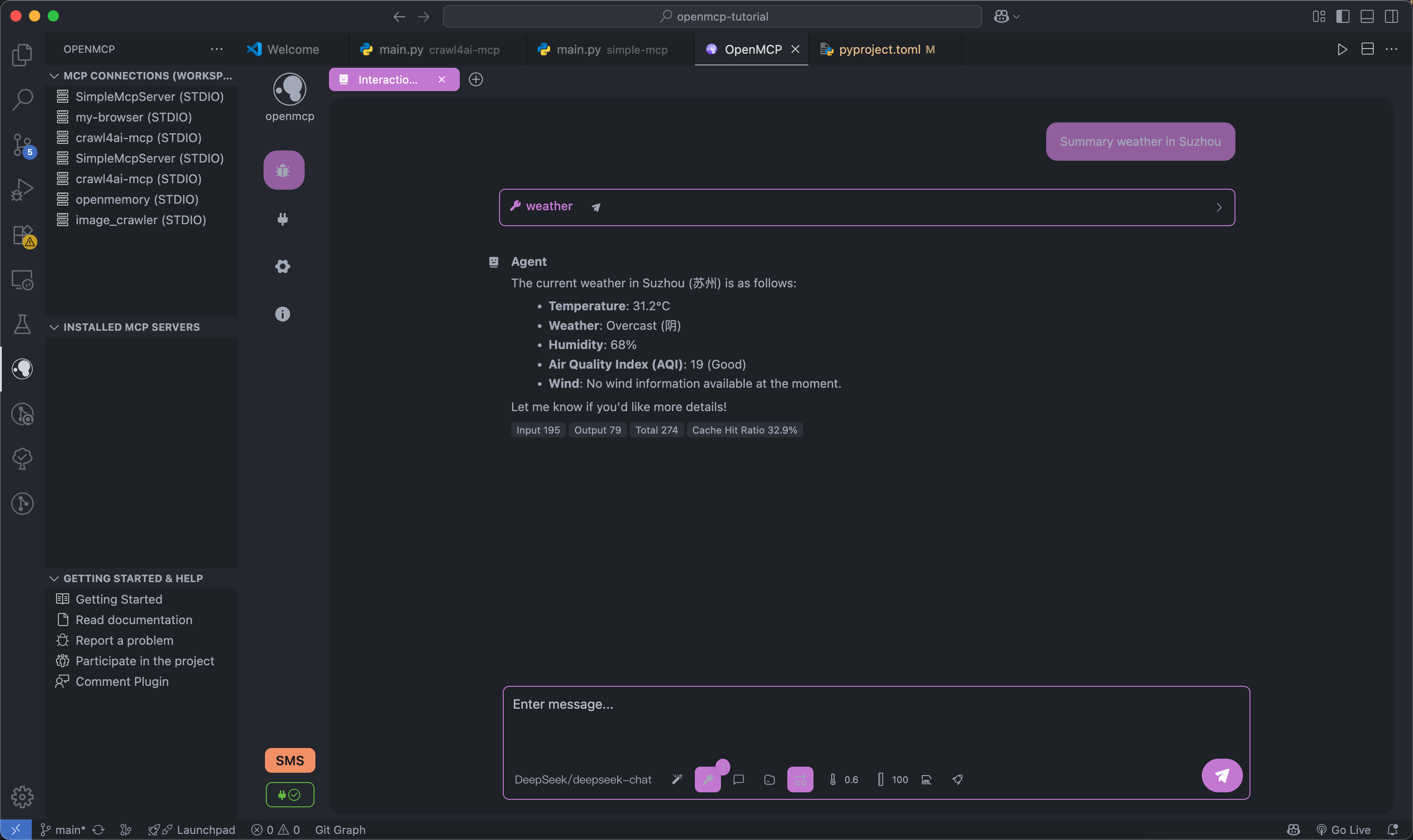
Supports multiple large models: DeepSeek, OpenAI, Qwen, Gemini, Grok, Mistral, MiniMax, Groq, Perplexity, Kimi, Ollama, OpenRouter and more.
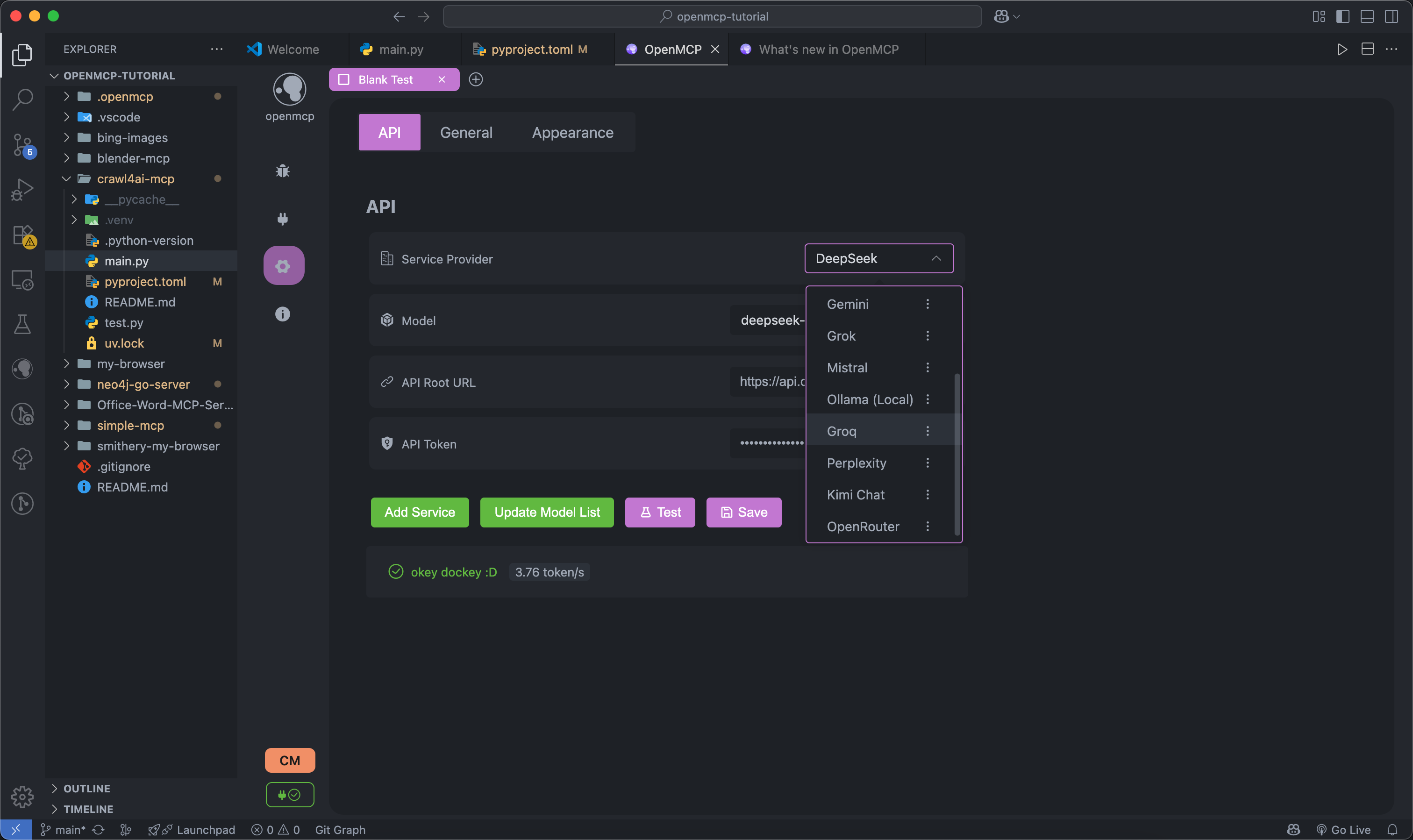
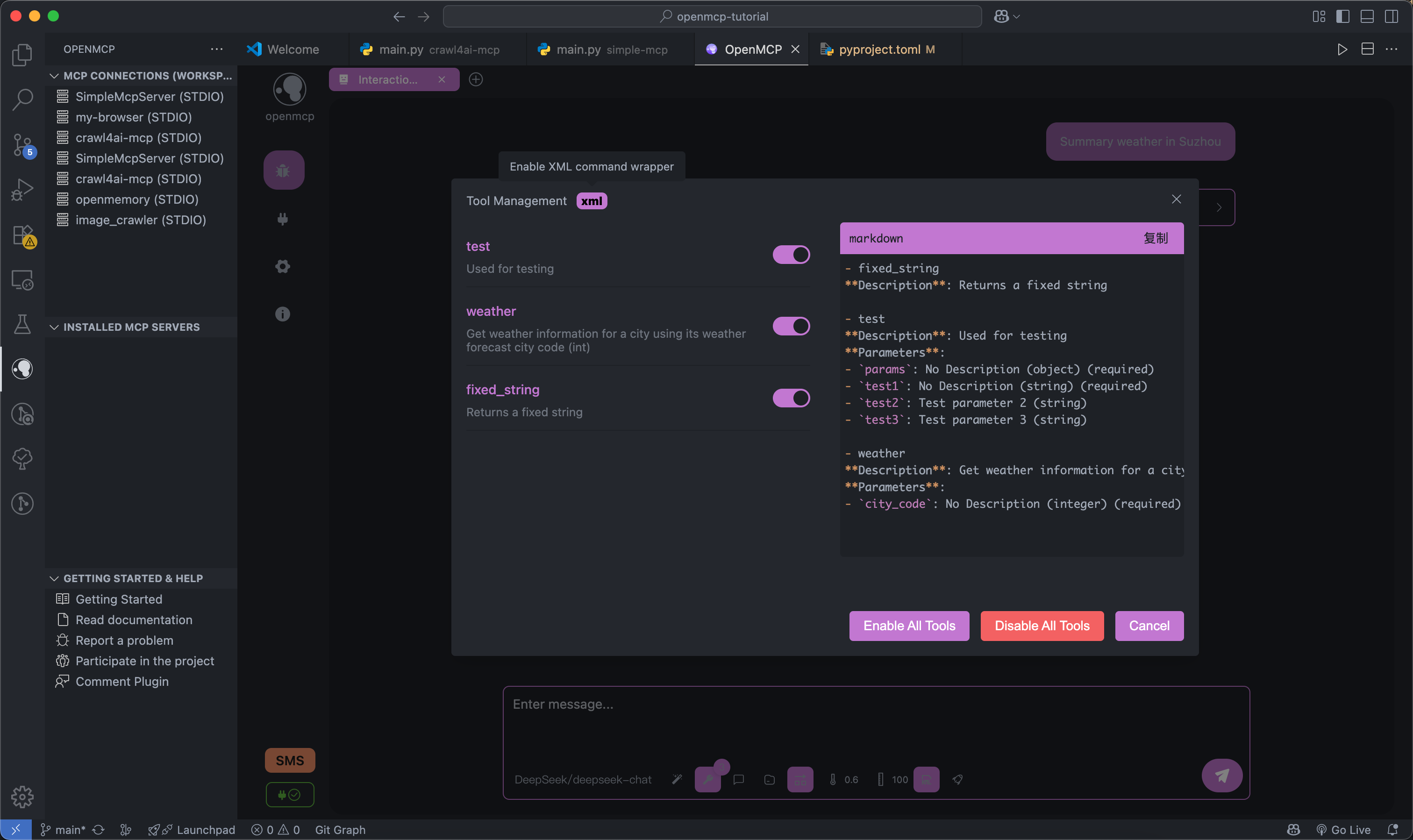
Support XML mode and customized options for your tool selection.
openmcp-sdk
once everything is tested and verified in openmcpent, you can deploy your mcp as an agent app with openmcp-sdk fastly and easily:
npm install openmcp-sdk
then deploy your agent with just lines of codes
import { OmAgent } from 'openmcp-sdk/service/sdk';

// create Agent
const agent = new OmAgent();

// Load configuration, which can be automatically generated after debugging with openmcp client
agent.loadMcpConfig('./mcpconfig.json');

// Read the debugged prompt
const prompt = await agent.getPrompt('hacknews', { topn: '5' });

// Execute the task
const res = await agent.ainvoke({ messages: prompt });

console.log('⚙️ Agent Response', res);
output
[2025/6/20 20:47:31] 🚀 [crawl4ai-mcp] 1.9.1 connected
[2025/6/20 20:47:35] 🤖 Agent wants to use these tools get_web_markdown
[2025/6/20 20:47:35] 🔧 using tool get_web_markdown
[2025/6/20 20:47:39] ✓  use tools success
[2025/6/20 20:47:46] 🤖 Agent wants to use these tools get_web_markdown, get_web_markdown, get_web_markdown
[2025/6/20 20:47:46] 🔧 using tool get_web_markdown
[2025/6/20 20:47:48] ✓  use tools success
[2025/6/20 20:47:48] 🔧 using tool get_web_markdown
[2025/6/20 20:47:54] ✓  use tools success
[2025/6/20 20:47:54] 🔧 using tool get_web_markdown
[2025/6/20 20:47:57] ✓  use tools success

⚙️ Agent Response
⌨️ Today's Tech Article Roundup

📌 How to Detect or Observe Passing Gravitational Waves?
Summary: This article explores the physics of gravitational waves, explaining their effects on space-time and how humans might perceive or observe this cosmic phenomenon.
Author: ynoxinul
Posted: 2 hours ago
Link: https://physics.stackexchange.com/questions/338912/how-would-a-passing-gravitational-wave-look-or-feel

📌 Learn Makefile Tutorial
Summary: A comprehensive Makefile tutorial for beginners and advanced users, covering basic syntax, variables, automatic rules, and advanced features to help developers manage project builds efficiently.
Author: dsego
Posted: 4 hours ago
Link: https://makefiletutorial.com/

📌 Hurl: Run and Test HTTP Requests in Plain Text
Summary: Hurl is a command-line tool that allows defining and executing HTTP requests in plain text format, ideal for data fetching and HTTP session testing. It supports chained requests, value capture, and response queries, making it perfect for testing REST, SOAP, and GraphQL APIs.
Author: flykespice
Posted: 8 hours ago
Link: https://github.com/Orange-OpenSource/hurl
Want to become a contributor ?
Click here to learn how to make contribution to OpenMCP.
Join Our Community
- Email: zhelonghuang@qq.com
- QQ: 782833642
- Wechat: contact
lstmkirigaya - Discord: https://discord.gg/SKTZRf6NzU
TODO
Feature Roadmap
| Module | Feature | Priority | Status | Fix Priority |
|---|---|---|---|---|
all |
Complete basic infrastructure | Full Version |
100% | Done |
render |
Support cost analysis in chat mode | Iteration |
100% | Done |
ext |
Support basic MCP project management | Iteration |
100% | P0 |
service |
Support custom OpenAI-compatible large model integration | Full Version |
100% | Done |
service |
Support custom protocol large model integration | MVP |
0% | P1 |
all |
Support debugging multiple MCP Servers simultaneously | MVP |
100% | P0 |
all |
Support online verification via large models | Iteration |
100% | Done |
all |
Support saving user's server debugging work | Iteration |
100% | Done |
render |
High-risk operation permission confirmation | MVP |
0% | P1 |
service |
Hot update for connected MCP servers | MVP |
0% | P1 |
all |
System prompt management module | Iteration |
100% | Done |
service |
Tool-wise logging system | MVP |
0% | P1 |
service |
MCP security checks (prevent prompt injection, etc.) | MVP |
0% | P1 |
service |
Built-in OCR for character recognition | Iteration |
100% | Done |
Project Concept
OpenMCP adopts a layered modular design. By assembling different modules, it can be implemented in different modes on different platforms.
flowchart TD
    subgraph OpenMCP Core Components
        renderer[Renderer]
        openmcpservice[OpenMCPService]
    end

    subgraph OpenMCP_Web["OpenMCP Web"]
        renderer
        openmcpservice
        nginx[Nginx]
    end

    subgraph OpenMCP_Plugin["OpenMCP Plugin"]
        renderer
        openmcpservice
        vscode[VSCode Plugin Code]
    end

    subgraph OpenMCP_App["OpenMCP App"]
        renderer
        openmcpservice
        electron[Electron Code]
    end

    subgraph QQBot["OpenMCP-based QQ Bot"]
        lagrange[Lagrange.OneBot]
        openmcpservice
    end

    %% Dependencies
    OpenMCP_Web -->|Frontend Rendering| renderer
    OpenMCP_Web -->|Backend Service| openmcpservice
    OpenMCP_Web -->|Reverse Proxy| nginx

    OpenMCP_Plugin -->|UI Interface| renderer
    OpenMCP_Plugin -->|Core Logic| openmcpservice
    OpenMCP_Plugin -->|IDE Integration| vscode

    OpenMCP_App -->|Frontend UI| renderer
    OpenMCP_App -->|Local Service| openmcpservice
    OpenMCP_App -->|Desktop Packaging| electron

    QQBot -->|Protocol Adaptation| lagrange
    QQBot -->|Business Logic| openmcpservice
OpenMCP CLI
Quickly setup and run OpenMCP development environment with a single command:
# Install CLI globally
npm install -g @agent-ruler/openmcp

# Create a new project
openmcp init my-project
cd my-project

# Start development servers (service + renderer)
openmcp dev
CLI Commands
| Command | Description |
|---|---|
openmcp init <project-name> |
Initialize a new OpenMCP project |
openmcp dev |
Start development mode (backend + frontend) |
openmcp dev --service-only |
Start only the backend service |
openmcp dev --renderer-only |
Start only the frontend renderer |
openmcp start |
Start production mode |
openmcp update |
Update to the latest version |
Development
- renderer : Frontend UI definitions
- service : Test components for renderer , including a simple forwarding layer
- src : VSCode plugin definitions
Renderer & Service Development
flowchart LR
D[renderer] <--> A[Dev Server]
<--ws--> B[service]
B <--mcp--> m(MCP Server)
Project setup:
npm run setup
Start dev server:
npm run serve
Extension Development
flowchart LR
D[renderer] <--> A[extention.ts] <--> B[service]
B <--mcp--> m(MCP Server)
Build for deployment:
npm run build
build vscode extension:
npm run build:plugin
Then just press F5, いただきます (Let's begin)
CI Pipeline
✅ npm run build ✅ npm run build:task-loop ✅ openmcpent UT ✅ openmcp-sdk UT ✅ vscode extension UT
FAQ
Common questions
Discussion
Questions & comments · 0
Sign In Sign in to leave a comment.