
Query and modify any JDBC database via natural language
JDBC MCP Server lets LLMs inspect, query, create, and modify content in PostgreSQL, Oracle, MariaDB, SQLite, and more via a single JDBC URL.
1.0.0.CR4Add to Favorites
Why it matters
Enable LLMs to inspect, query, create, and modify database content across PostgreSQL, Oracle, MariaDB, SQLite, and other JDBC-compatible databases using only a connection URL, eliminating the need for manual SQL writing or database-specific tooling.
Outcomes
What it gets done
Connect to any JDBC-compatible database with a single URL command
Execute SELECT queries to retrieve and analyze database content
Perform INSERT, UPDATE, and DELETE operations to modify data
Inspect database schemas by listing and describing tables
Source
Get it from source
Spark does not host a copy of it.
Open sourceReports
Agent outcome reports
No reports yet
Capabilities
Tools your agent gets
Execute SQL queries against a JDBC-compatible database
Insert records into a JDBC-compatible database
Update existing records in a JDBC-compatible database
Delete records from a JDBC-compatible database
Overview
JDBC MCP Server gives an LLM five tools, read_query, write_query, create_table, list_tables, and describe_table, to inspect and modify any JDBC-compatible database from just a connection URL. It runs via jbang and supports PostgreSQL, Oracle, MariaDB, SQLite, MySQL, SQL Server, and more. Use it to let an assistant explore a real database's schema and rows directly, from a quick in-memory H2 sandbox to a live production database. It is not meant to run inside a native-compiled build, since that cannot load JDBC drivers dynamically.
What it does
JDBC MCP Server lets LLMs inspect, query, create, and modify database content through any JDBC connection string, no custom driver setup beyond what the tool already bundles.
When to use - and when NOT to
Use it to let an assistant explore a real database's schema and data directly, whether that is an in-memory H2 sandbox for quick experiments or a live PostgreSQL, Oracle, MariaDB, SQLite, MySQL, SQL Server, SAP DB, Informix, Firebird, hsqldb, or Apache Derby database given only its JDBC URL. It is not built for databases the underlying JDBC driver does not support, and running it as a native (ahead-of-time compiled) executable is discouraged, because that build cannot dynamically load whichever JDBC driver a given URL calls for.
Capabilities
Five tools cover typical database work: read_query runs a SELECT, write_query runs INSERT/UPDATE/DELETE statements, create_table creates a new table, list_tables lists everything in the database, and describe_table reports a table's structure. A bundled jdbc_demo prompt helps get started exploring a connected database. JBang can also fetch a database file straight from a URL using %{url} syntax, which is how the project's own example databases work: a Chinook sample music store (artists, albums, tracks, invoices) in SQLite, a Northwind sample (customers, orders, products), and a sample Netflix movie catalog, all downloaded and queried with zero local setup.
How to install
Install jbang first, then configure your MCP client to run the server. Against a fresh in-memory H2 database:
jbang jdbc@quarkiverse/quarkus-mcp-servers
Against a live database, pass its JDBC URL, for example an Oracle instance:
jbang jdbc@quarkiverse/quarkus-mcp-servers jdbc:oracle:thin:@localhost:1521:orcl
A user and password can be supplied separately, as with this PostgreSQL example:
jbang jdbc@quarkiverse/quarkus-mcp-servers jdbc:postgresql://localhost:5432/sakila -u sakila -p p_ssW0rd
For Claude Desktop, add:
{
  "mcpServers": {
    "jdbc": {
      "command": "jbang",
      "args": ["jdbc@quarkiverse/quarkus-mcp-servers", "[jdbc_url]"]
    }
  }
}
If jbang isn't found, confirm it's installed and on your PATH, or point at its full executable path directly. For more detailed logging, add -Dquarkus.log.file.enable=true -Dquarkus.log.file.path=${user.home}/mcp-jdbc.log to the jbang command line, and the server will write to that log file. The server is built on Quarkus, described in its own docs as the Supersonic Subatomic Java Framework, using its Model Context Protocol support; jbang handles fetching and running the underlying Java code the way uvx, pipx, or npmx do for their own ecosystems.
Who it's for
Developers and data analysts who want an LLM to query or modify a real database, from a quick local H2 sandbox to a production-grade PostgreSQL or Oracle instance, without writing custom JDBC glue code or a bespoke connection layer themselves.
Source README
Model Context Protocol Server for JDBC
This Model Context Protocol(MCP) server enables Large Language Models (LLMs) to inspect, query, create and modify database content given just a Java Database Connectivity (JDBC) url.
Supported databases include PostgresSQL, Oracle, MariaDB, Sqlite and many more.
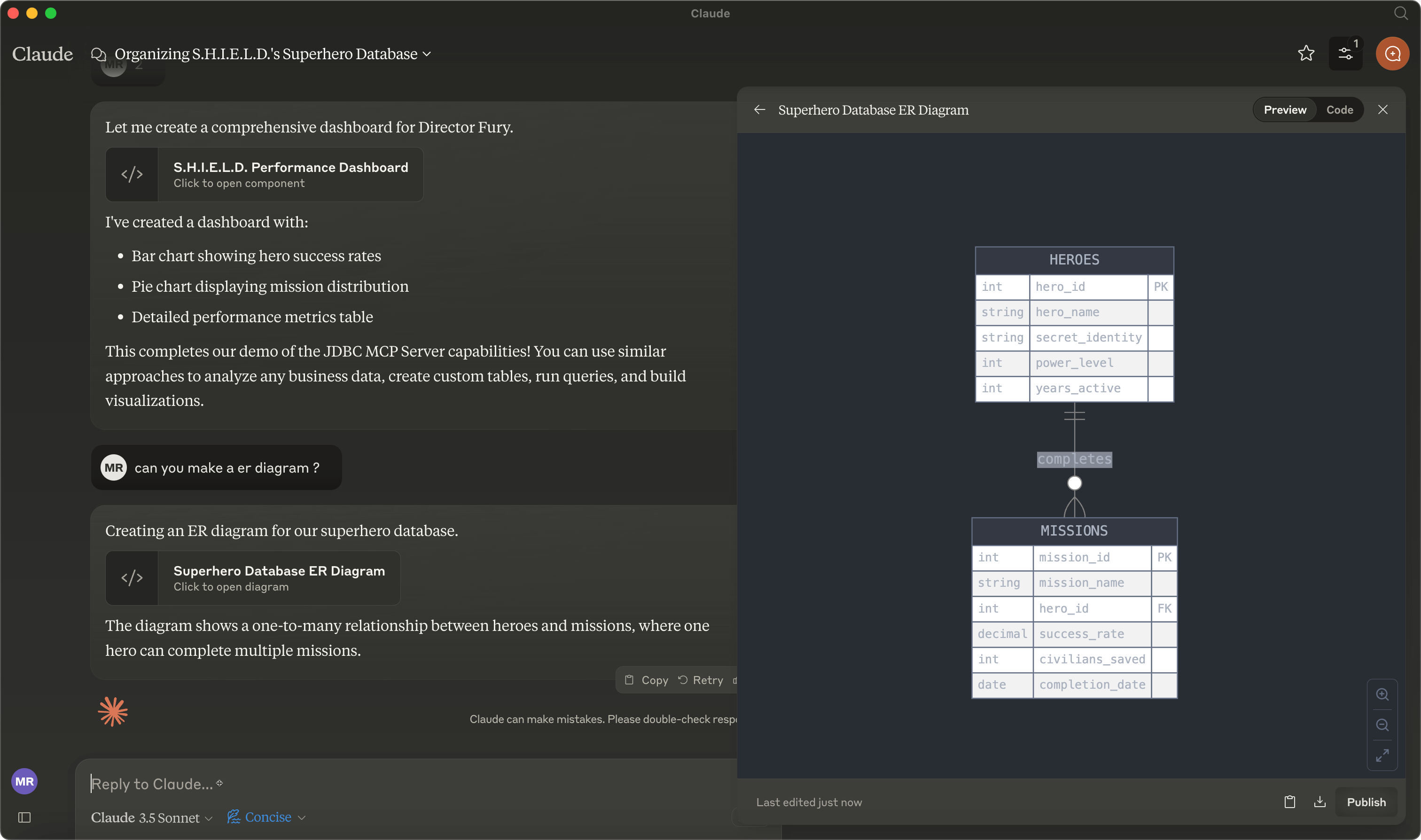

See video here.
General Usage
- Install jbang
- Configure your MCP Client to run the server (see Claude Desktop Config below)
Below are examples of command lines to use for configuring the server.
Start with an empty database (in-memory h2 database):
jbang jdbc@quarkiverse/quarkus-mcp-servers
A live database (any common JDBC compatible database):
jbang jdbc@quarkiverse/quarkus-mcp-servers [jdbc_url]
For example, to connect to a already running Oracle database:
jbang jdbc@quarkiverse/quarkus-mcp-servers jdbc:oracle:thin:@localhost:1521:orcl
You can also specify a user and password separately, here for a PostgreSQL database:
jbang jdbc@quarkiverse/quarkus-mcp-servers jdbc:postgresql://localhost:5432/sakila -u sakila -p p_ssW0rd
Downloadable databases
JBang can download files from the web and feed them directly to databases like h2 and sqlite.
That is done using the %{url} syntax.
Following is an example of how to connect to a Chinook database in SQLite, downloading the Chinook_Sqlite.sqlite file from github.
jbang jdbc@quarkiverse/quarkus-mcp-servers jdbc:sqlite:%{https://github.com/lerocha/chinook-database/raw/master/ChinookDatabase/DataSources/Chinook_Sqlite.sqlite}
There are interesting examples of sample data available online you can use to explore data.
Below are a non-exhaustive list of databases and example JDBC urls that are known to work with this server as-is (no additional configuration required).
Example databases
Chinook
Sample music store data including artists, albums, tracks, invoices etc.
jdbc:sqlite:%{https://github.com/lerocha/chinook-database/raw/master/ChinookDatabase/DataSources/Chinook_Sqlite.sqlite}
Northwind
Classic Microsoft sample database with customers, orders, products etc.
jdbc:sqlite:%{https://github.com/jpwhite3/northwind-SQLite3/raw/refs/heads/main/dist/northwind.db}
Netflix Movies
Sample movie data based on Netflix catalog
jdbc:sqlite:%{https://github.com/lerocha/netflixdb/releases/download/v1.0.0/netflixdb.sqlite}
Supported JDBC variants
| Database | Dependency |
|---|---|
| MariaDB | org.mariadb.jdbc:mariadb-java-client:RELEASE |
| MySQL | mysql:mysql-connector-java:RELEASE |
| PostgreSQL | org.postgresql:postgresql:RELEASE |
| Oracle | com.oracle.database.jdbc:ojdbc10:RELEASE |
| SQL Server | com.microsoft.sqlserver:mssql-jdbc:RELEASE |
| SAP DB | com.sapcloud.db.jdbc:ngdbc:RELEASE |
| Informix | com.ibm.informix:jdbc:RELEASE |
| Firebird | org.firebirdsql.jdbc:jaybird:RELEASE |
| hsqldb | org.hsqldb:hsqldb:RELEASE |
| h2 | com.h2database:h2:RELEASE |
| Apache Derby | org.apache.derby:derby:RELEASE |
| SQLite | org.xerial:sqlite-jdbc:RELEASE |
Components
Below are the MCP components provided by this server.
Tools
- read_query - do a SELECT query on the database
- write_query - do a INSERT, UPDATE, DELETE query on the database
- create_table - create a table in the database
- list_tables - list all tables in the database
- describe_table - describe a table
Prompts
- jdbc_demo - example prompt to get started exploring the server (similar to the one in sqllite MCP)
Claude Desktop Config and mcp-cli
Add this to your claude_desktop_config.json or server_config.json file:
{
  "mcpServers": {
    "jdbc": {
      "command": "jbang",
      "args": [
        "jdbc@quarkiverse/quarkus-mcp-servers",
        "[jdbc_url]"
      ]
    }
  }
}
Troubleshooting
jbang not found
- Make sure you have
jbanginstalled and available in your PATH - Alternatively, use full path to jbang executable (e.g.
/Users/username/.jbang/jbang)
Get more logging
To get more detailed logging you can add the following parameters to the jbang command line:
-Dquarkus.log.file.enable=true -Dquarkus.log.file.path=${user.home}/mcp-server-jdbc.log
Example:
jbang -Dquarkus.log.file.enable=true -Dquarkus.log.file.path=${user.home}/mcp-jdbc.log jdbc@quarkiverse/quarkus-mcp-servers jdbc:h2:mem:testdb
Native Image/Executable
Although the server can be compiled to a native executable, it is not recommended as then it is not possible to dynamically load the relevant JDBC driver.
You can however compile a server that targets a specific JDBC driver, but that is for now left up as an exercise to the reader. If you are interested in this, please open issue or PR.
How was this made?
The MCP server uses Quarkus, the Supersonic Subatomic Java Framework and its Model Context Protocol support.
If you want to learn more about Quarkus MCP Server support, please see this blog post and the Quarkus MCP Server extension documentation.
To launch the server and handle the magic setup of JDBC urls it uses jbang to
setup Java and run the .jar as transparent as possible. Very similar to how uvx, pipx, npmx and others works; just for Java.
FAQ
Common questions
Discussion
Questions & comments · 0
Sign In Sign in to leave a comment.